
Shipday + Toast integration: commission-free delivery for your restaurant
Connect Shipday to Toast and every delivery order from your POS, phone and online ordering dispatches automatically. Track your drivers in real time, send customers live SMS updates, and send overflow to DoorDash or Uber when your own drivers are stretched. You keep the fees, the radius and the customer data.

Trusted by 6,000+ local businesses worldwide including restaurants on Toast
As published on the Shipday listing in the Toast partner directory.
- fewer late deliveries
- Up to 80%
- fewer “where is my order” calls
- Up to 90%
Works with






What this integration does
The Shipday Toast integration automatically pushes delivery orders from your Toast POS into your Shipday dispatch dashboard, with no manual entry. Phone orders, Toast Online Ordering and in-store delivery orders all flow through. Assign jobs to your drivers, who get optimized routes and proof-of-delivery capture in the free Shipday mobile app. Customers get live Google Maps tracking and SMS updates from dispatch to drop-off. You keep full control of your delivery fees, delivery radius and customer data, without paying marketplace commission on any order.

About Toast
Toast is an all-in-one restaurant technology platform built for independent restaurants and multi-location operators. It combines a cloud-based POS with online ordering, labor management and sales reporting on one system. Shipday connects to Toast through the Toast integrations marketplace.
Who this integration is perfect for
The Shipday Toast integration is built for restaurants that take delivery orders through Toast and want to run their own delivery instead of handing 20 to 30% to a marketplace on every order.
Pizzerias
In-house drivers, peak-hour dispatch, and routes that stack orders properly.
Independent restaurants
One to ten locations that want to own the customer relationship, not rent it.
Ghost kitchens and virtual brands
Several concepts dispatching from one Toast account.
Multi-location groups
Central dispatch and one view of delivery times across every store.
Restaurants short on drivers
Your own fleet first, DoorDash Drive or Uber for overflow.
High-volume takeaway
Phone and online delivery orders dispatched without anyone retyping an address.
Everything you need to run delivery from Toast
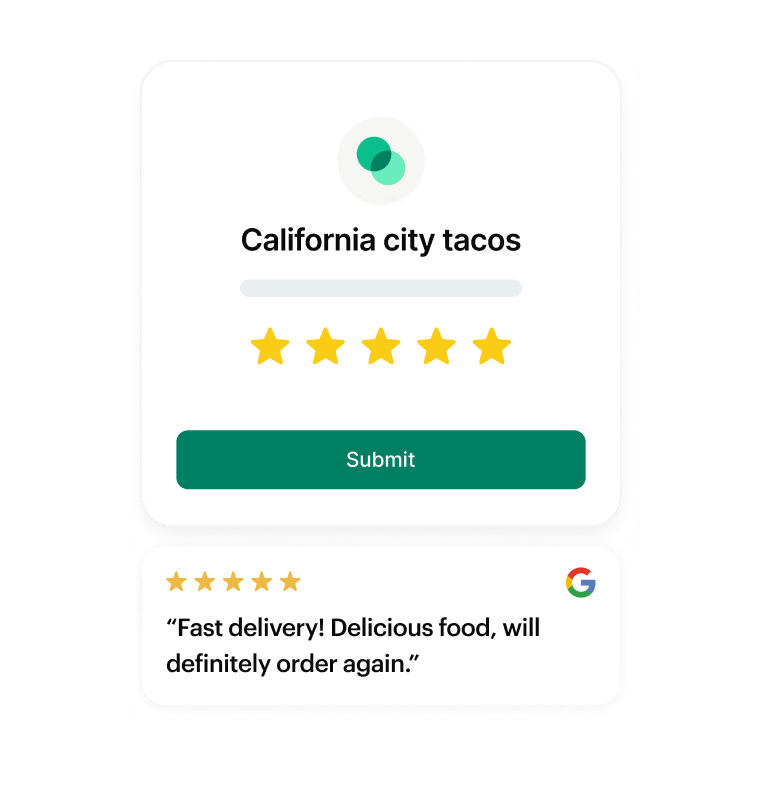
Turn deliveries into Google reviews
Happy customers get prompted to review you on Google. Private feedback comes straight back to you so you can fix a bad delivery the same day.
Auto-dispatch every Toast delivery order
Phone, online and POS delivery orders flow into Shipday the moment they are placed, with the address and items already filled in.
Track every driver live on Google Maps
See where each driver is and how long until each drop-off, all from one dashboard.
Keep customers updated by SMS
Automatic SMS with a live ETA and a tracking link, from dispatch to delivery.
Offer DoorDash or Uber as backup
Route overflow orders to DoorDash Drive or Uber without leaving Shipday.
Capture proof on every drop-off
Drivers capture a photo or signature at the door through the free Shipday driver app.
How to integrate Shipday with Toast
Most restaurants connect in a few minutes. Six steps, no developer required.
Step 1
Create your free Shipday account
Sign up for a free Shipday account. No credit card required.
Create account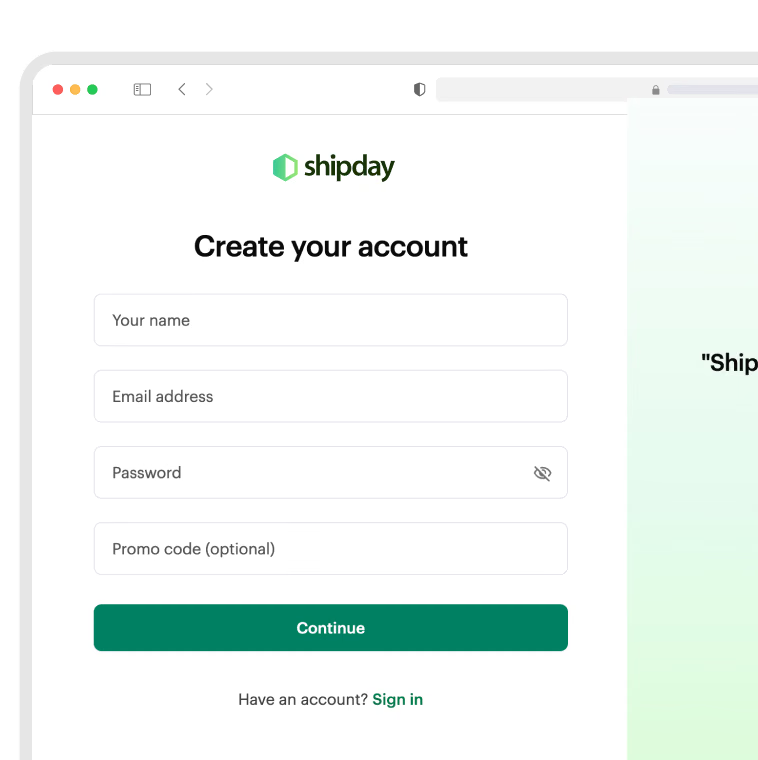
Step 2
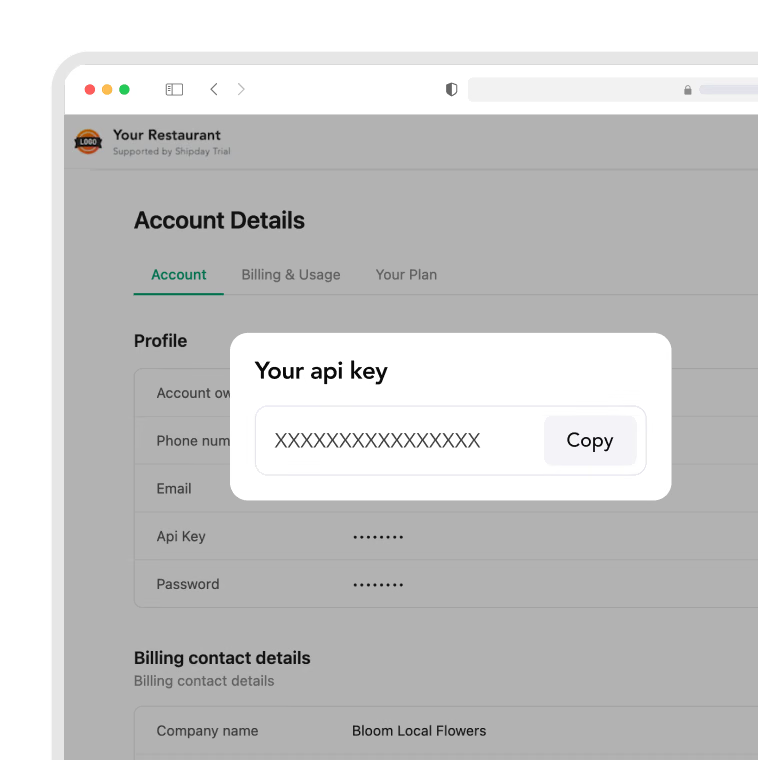
Copy your Shipday API key
In Shipday, go to My Account and copy your API key.
Step 3
Open integrations in your Toast admin panel
Go to your Toast admin panel and click Integrations, then “Browse and purchase integrations”.
View Shipday on Toast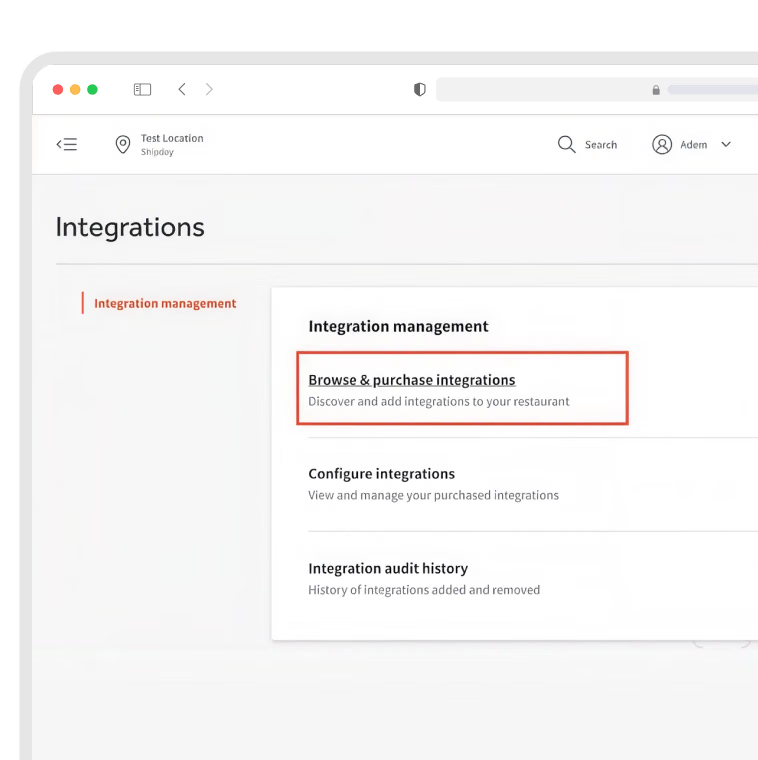
Step 4
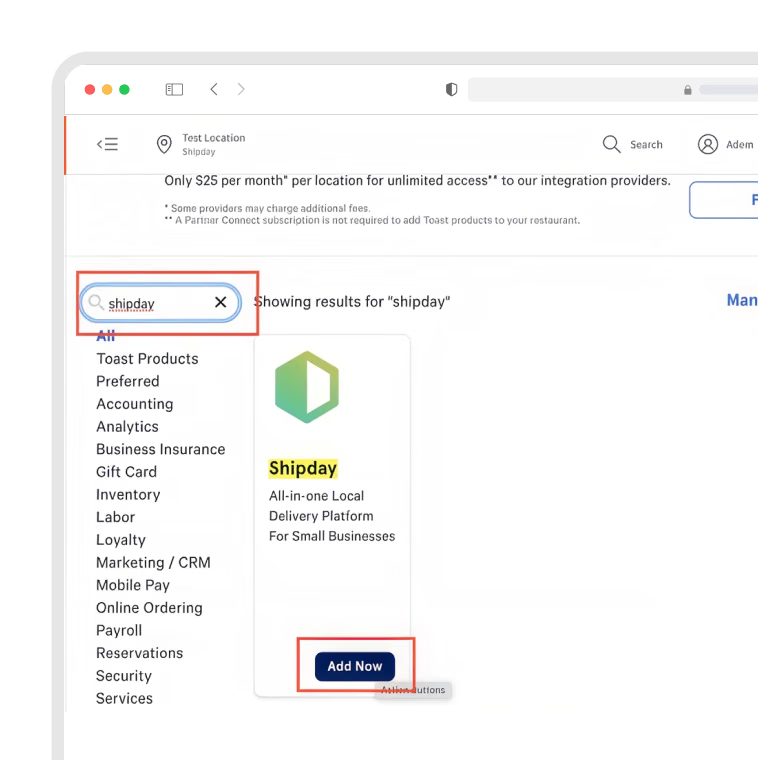
Add Shipday from the Toast marketplace
Search for “Shipday” and click Add Now.
Step 5
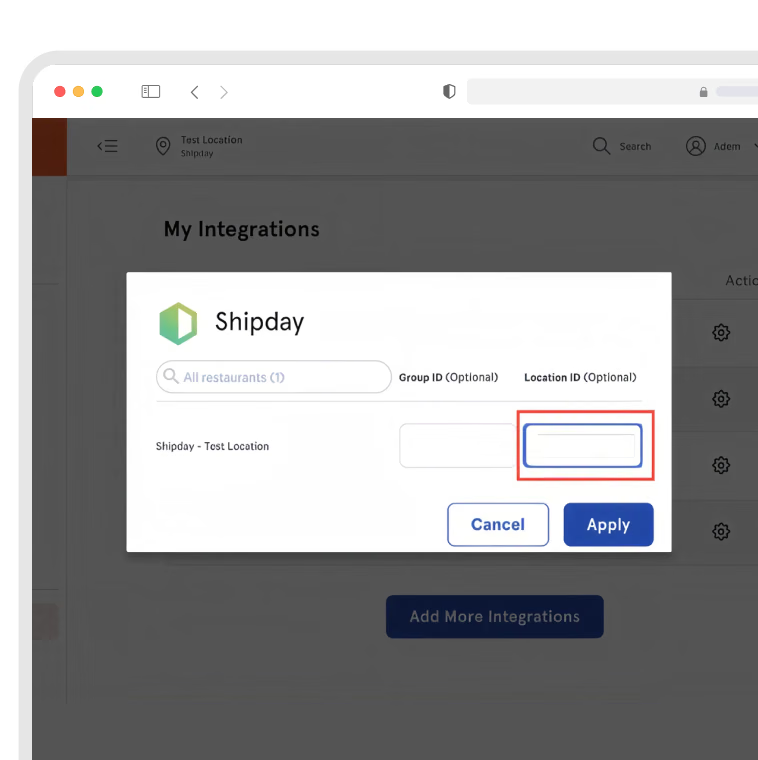
Connect with your API key
Click the gear icon on the Shipday integration, paste your API key into the Location ID field, and click Apply.
Step 6
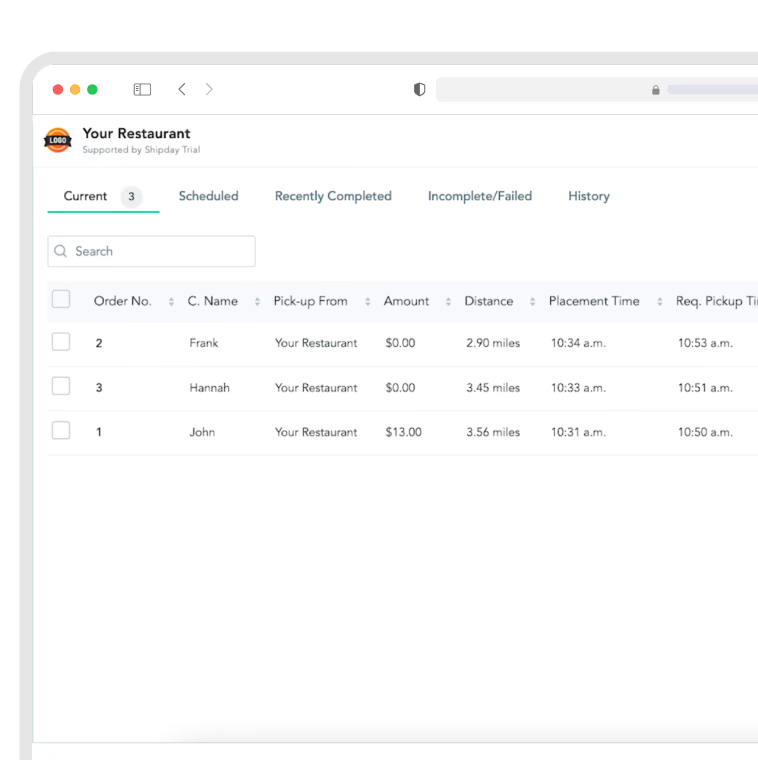
Place a test order
Place a test delivery order in Toast and confirm it appears in your Shipday dispatch dashboard.
Still stuck? Email support@shipday.com with the subject line “Toast integration help”.
FAQs
Does Shipday work with Toast?
Yes. Shipday has a native Toast integration available in the Toast integrations marketplace. Once connected with your API key, delivery orders placed through Toast POS, Toast Online Ordering or over the phone flow automatically into your Shipday dispatch dashboard with no manual entry.
How is this different from Toast Delivery Services?
Toast Delivery Services dispatches your delivery orders to Uber and DoorDash driver networks for a per-order fee. Shipday dispatches to your own drivers first, with DoorDash Drive or Uber available as backup when you need them. You keep control of your delivery fees, your delivery radius and your customer data, and you pay a flat monthly subscription rather than a fee on every order.
Is the Shipday Toast integration free?
The integration itself is free to enable and Toast does not charge to add it from the marketplace. Shipday has a free Basic plan with no credit card required, plus paid plans starting at $29 per month with more features.
How long does it take to set up?
Most restaurants connect in a few minutes. You create a Shipday account, copy your API key, add Shipday from the Toast integrations marketplace, paste the key into the Location ID field, and place a test order to confirm the connection.
Can I use my own drivers?
Yes. Running your own drivers is the default. They get jobs, optimized routes, customer contact and photo or signature proof of delivery through the free Shipday driver app on iOS and Android. You can send overflow to DoorDash Drive or Uber when volume spikes or a shift is short.
What happens to delivery orders placed through Toast Online Ordering?
They flow into Shipday the same way POS and phone orders do. The delivery address, order contents and customer contact details arrive already filled in, so nobody on your team retypes an address during a rush.
Will my customers get delivery tracking?
Yes. Customers get an SMS with a live tracking link showing the driver on a map and a current ETA. Toast publishes that restaurants using Shipday see up to 90% fewer calls asking where an order is.
Do I still pay marketplace commission on delivery orders?
No. Orders that come through your own Toast channels stay yours. You set the delivery fee, you set the radius, and you keep the customer data. There is no per-order commission to a marketplace on deliveries you fulfill yourself.
Is Shipday a good fit for a single-location pizzeria on Toast?
Yes. Pizzerias running in-house drivers are one of the most common Shipday setups. Auto-dispatch and route stacking matter most during a Friday rush, which is exactly when manual dispatch breaks down.
Ready to get started?
Play around with it first, add your team, pay later.