
Flipdish integration with Shipday
-
Create Account in Flipdish
-
Go to https://portal.flipdish.com/ home
-
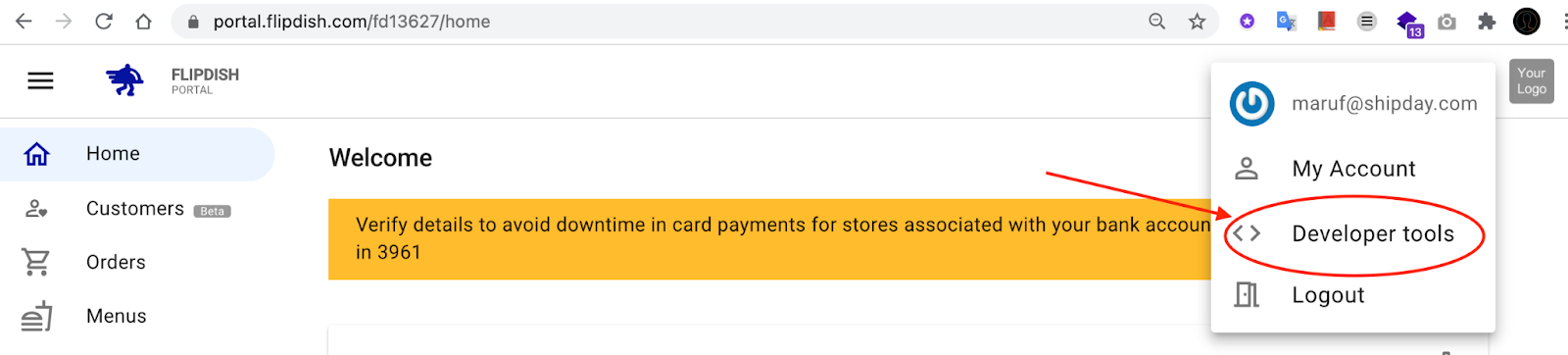
Click the menu icon

- Click
Developer tools
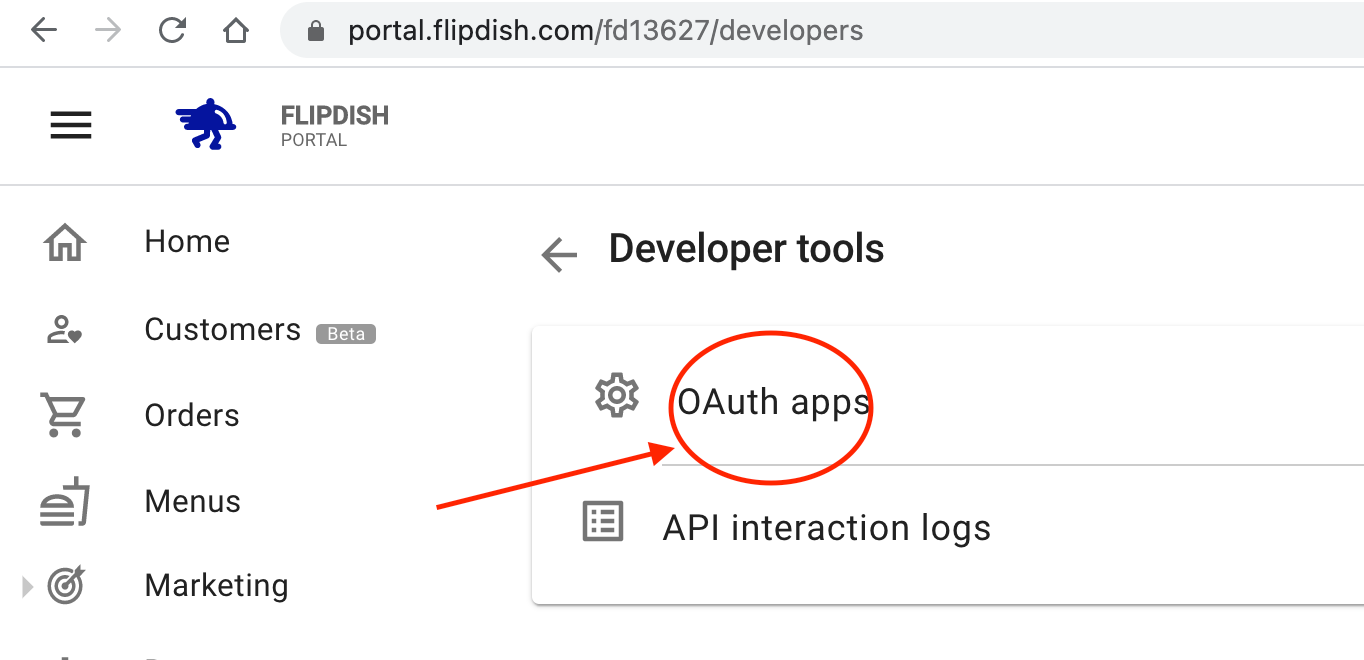
- Click
OAuth apps
- Click
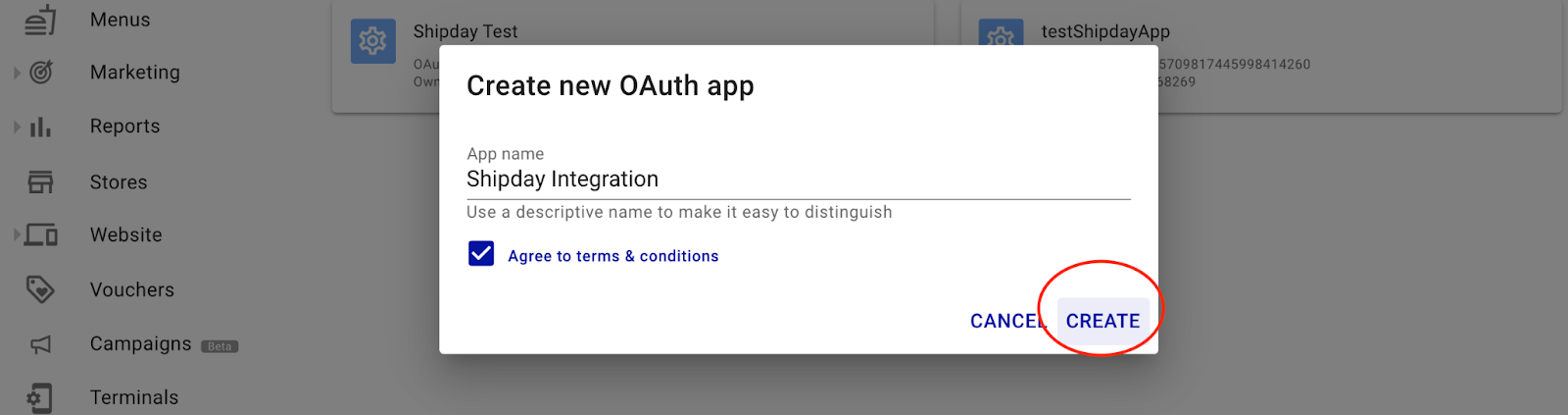
Add Newat the right bottom corner of the page

- Add a name, tick the check box and click
CREATE
- Click on the newly created App

- Click
Webhook

- Click
Add New

- Fill up the form with following instructions
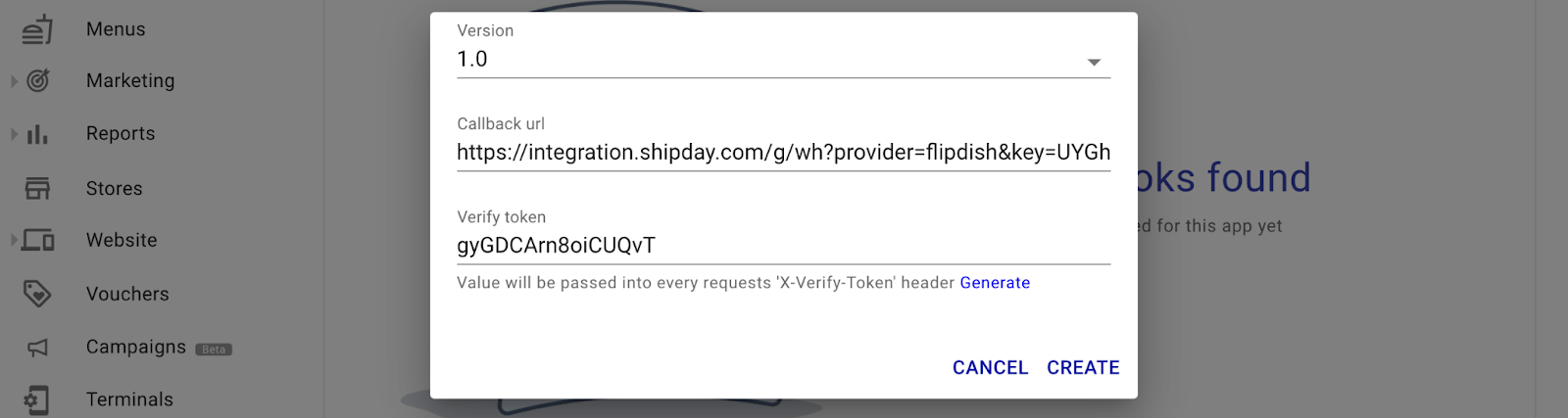
A. select version 1.0
B. Put your integration url in callback url field with following formatting
Base URL: https://integration.shipday.com/g/wh
Parameters:
Provider - flipdish
key - [ Your API KEY provided from Shipday ]
Example: https://integration.shipday.com/g/wh?provider=flipdish&key=UYGhKyfYTF.
LJLKjLJlKlJljjHHiuUuyggyIUyIgHJG
C. Click Generate at the right bottom of the form
D. Click CREATE at the right bottom of the form
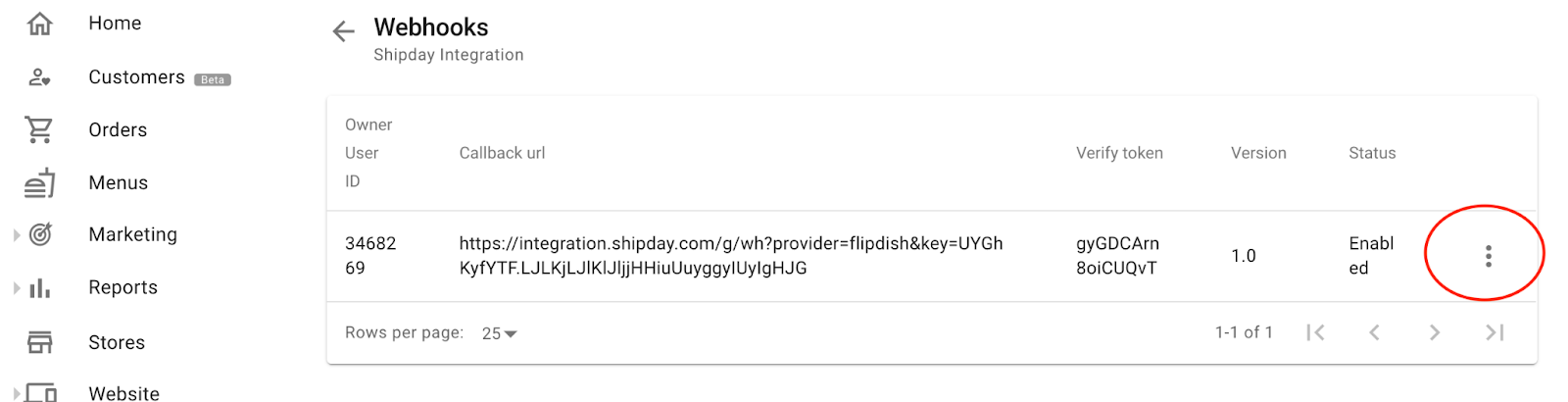
- Click the three dot at the right of the newly created webhook
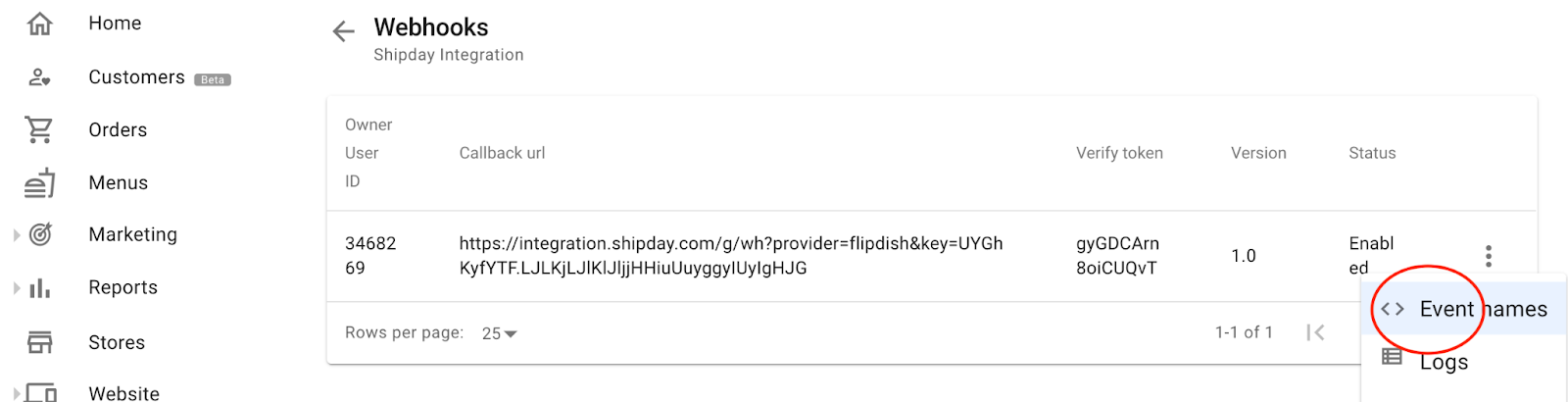
- Select
Event names
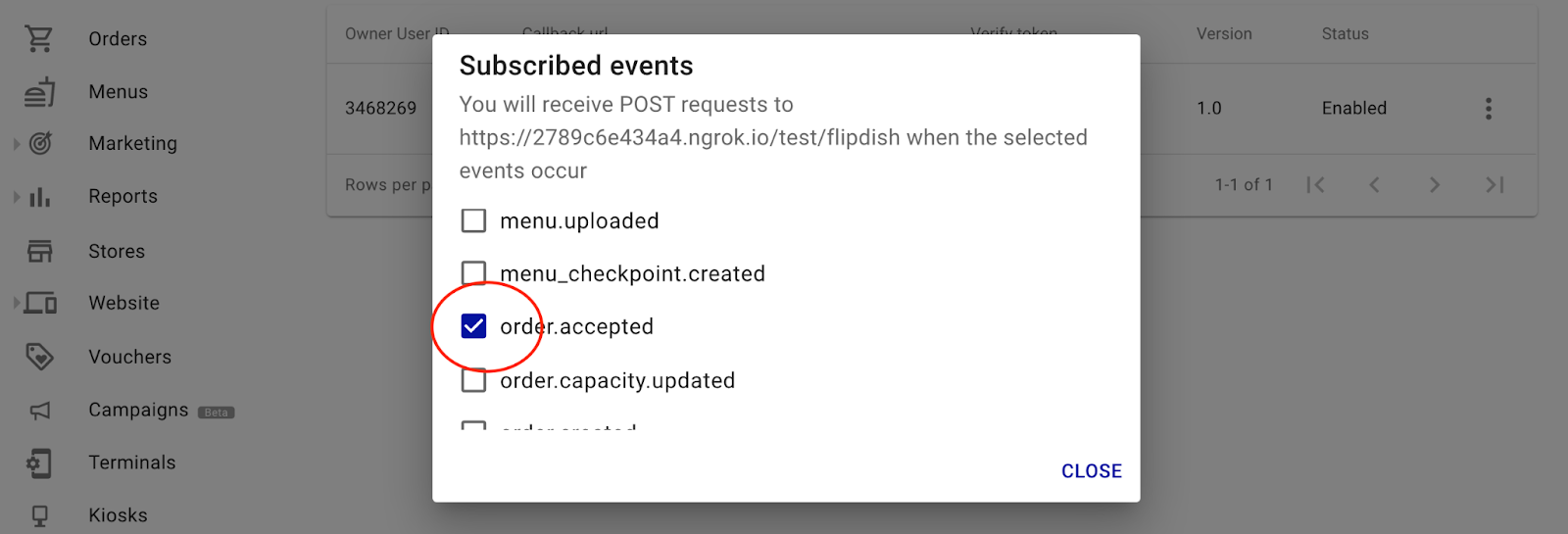
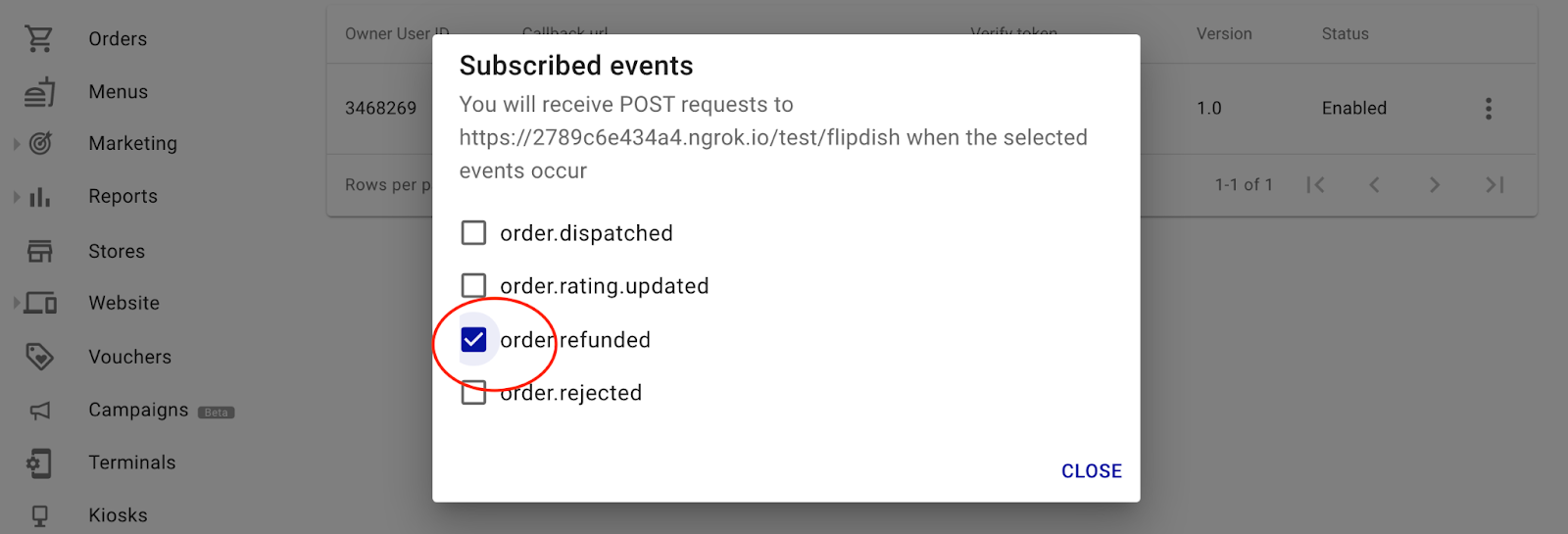
- Scroll down and check the box
order.acceptedandorder.refunded. Then click close
Now after every order acceptance the order data will be sent to Shipday.
Need help? Email support@shipday.com
Ready to get started?
Play around with it first, add your team, pay later.