
Automated local delivery and pickup for your WooCommerce store
Install the free Shipday plugin on your WooCommerce store and every delivery and pickup order dispatches automatically the moment it is placed at checkout. Track your drivers in real time, send customers live SMS updates, and hand overflow to DoorDash or Uber. No code, free to start.

Trusted by 6,000+ local businesses worldwide including WooCommerce stores
Works with






What this integration does
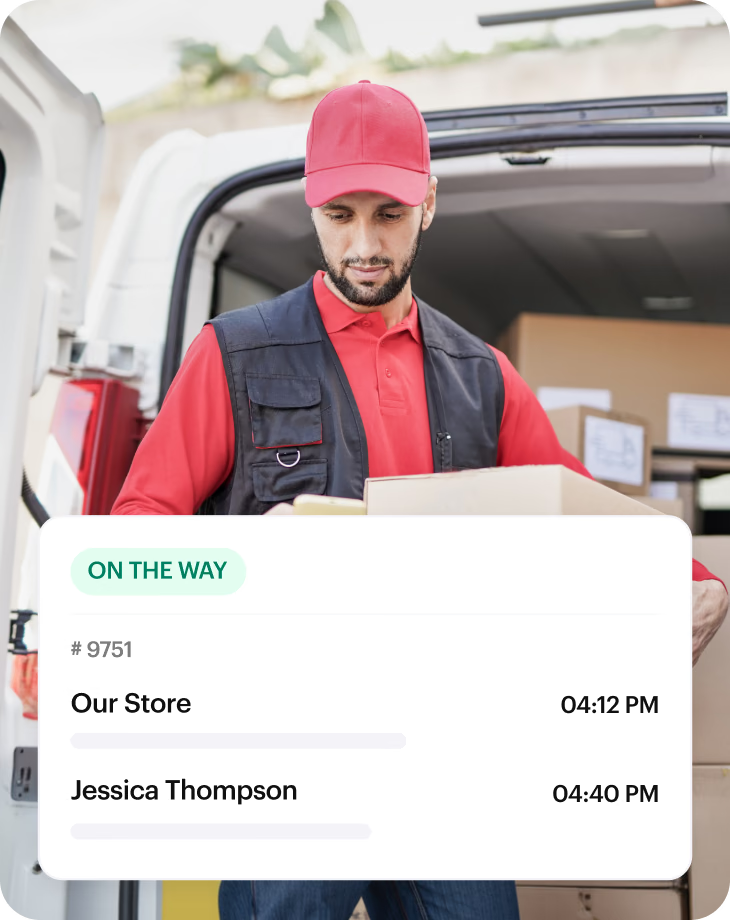
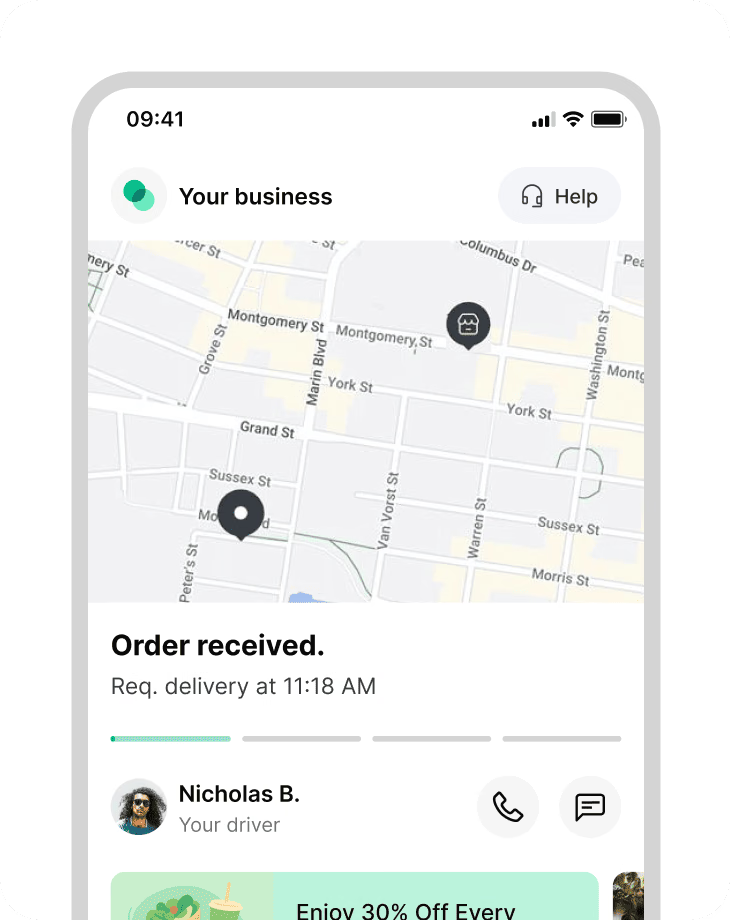
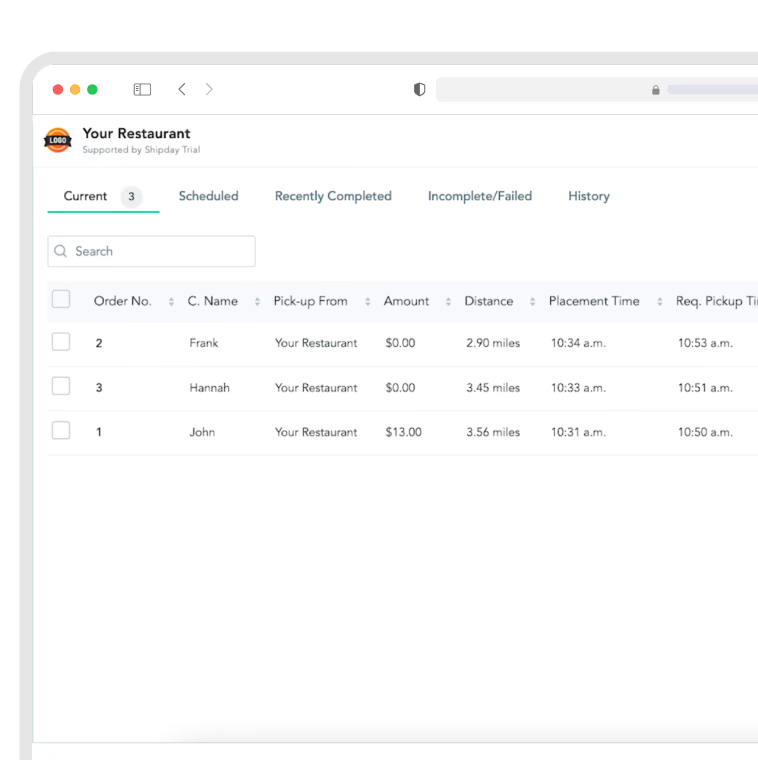
The Shipday WooCommerce plugin automatically pushes delivery and pickup orders from your WooCommerce store into your dispatch dashboard the moment a customer checks out, with no manual entry. Customers can pick a delivery date and time slot at checkout, and that selection travels with the order. Assign jobs to your drivers, who get optimized routes in the Shipday mobile app. Customers get live Google Maps tracking and SMS updates from dispatch to drop-off. It works with single-vendor stores and with Dokan and WCFM multi-vendor marketplaces.
Who this integration is perfect for
The Shipday WooCommerce plugin is built for local businesses that sell on WordPress and fulfill orders with their own drivers, instead of shipping by carrier. Perfect for everyone from single-location restaurants to multi-vendor marketplaces.
Restaurants and takeaways
Direct delivery orders through your own site, not marketplaces.
Multi-vendor marketplaces
Dokan and WCFM stores dispatching across many vendors.
Pharmacies and convenience
Fast local drops with proof of delivery on every order.
Grocers and rapid delivery
Same-day and 15-minute local delivery windows.
Florists and gift shops
Same-day delivery with tight time windows and fragile orders.
Meal-prep and bakeries
Scheduled delivery days and time slots chosen at checkout.
Everything you need to run local delivery from WooCommerce
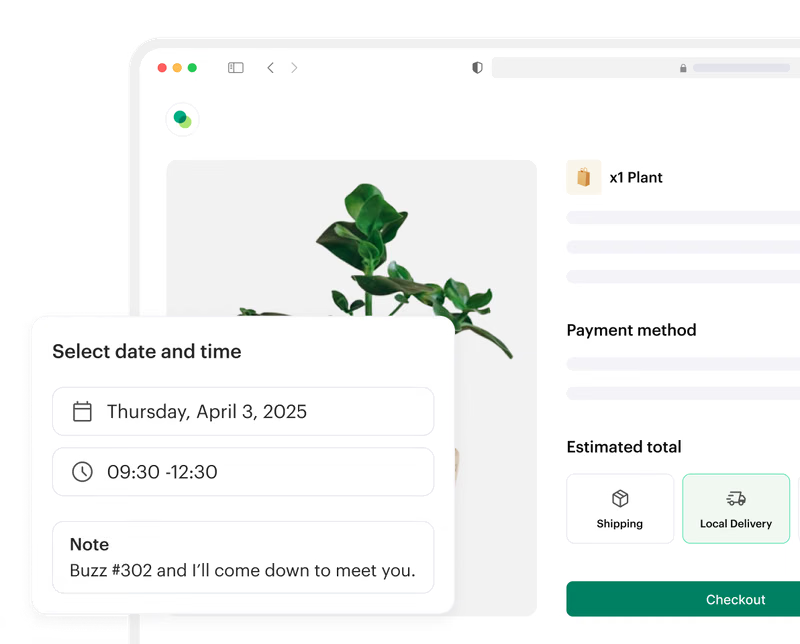
Let customers pick a delivery date and time slot
Choose which days you deliver and set your own time windows, straight from the plugin settings. Included free.
Capture every delivery and pickup order automatically
Orders land in Shipday the moment checkout completes, with address, items and contact details filled in.
Track every delivery live on Google Maps
See where each driver is and how long until each drop-off, all from one dashboard.
Keep customers updated by SMS
Automatic SMS with a live ETA and a tracking link, from dispatch to delivery.
Offer DoorDash or Uber as backup
Route overflow orders to DoorDash Drive or Uber without leaving Shipday.
Dispatch across a multi-vendor marketplace
Dokan and WCFM stores push orders from every vendor into one dispatch queue.
How to integrate Shipday with WooCommerce
Most stores connect in under five minutes. Six steps, no developer required.
Step 1
Create your free Shipday account
Sign up for a free Shipday account. No credit card required.
Create account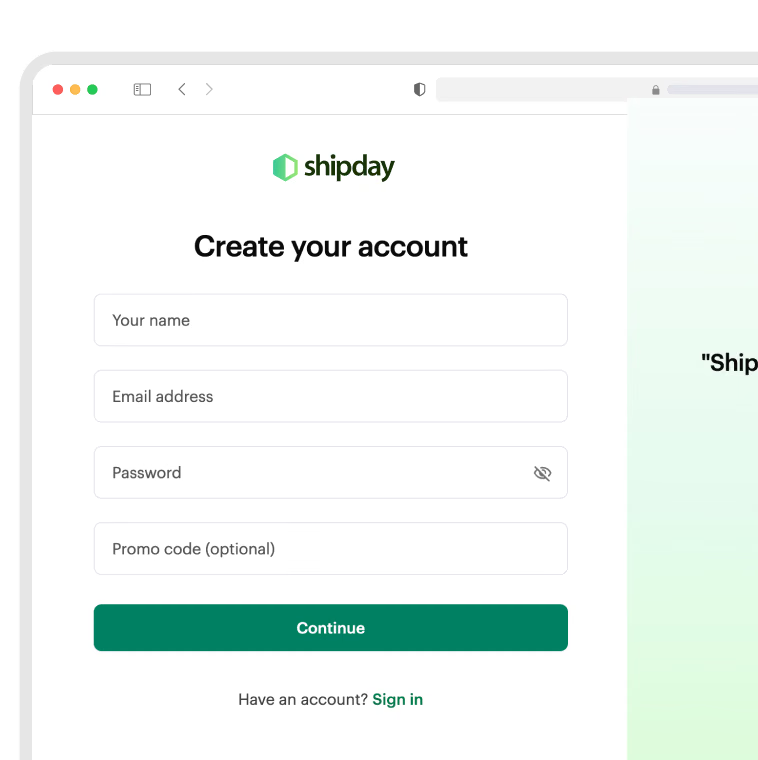
Step 2
Install the Shipday plugin on WordPress
In your WordPress admin, go to Plugins, Add New, search for “Shipday”, then install and activate Shipday Local Delivery for WooCommerce.
View plugin on WordPress.org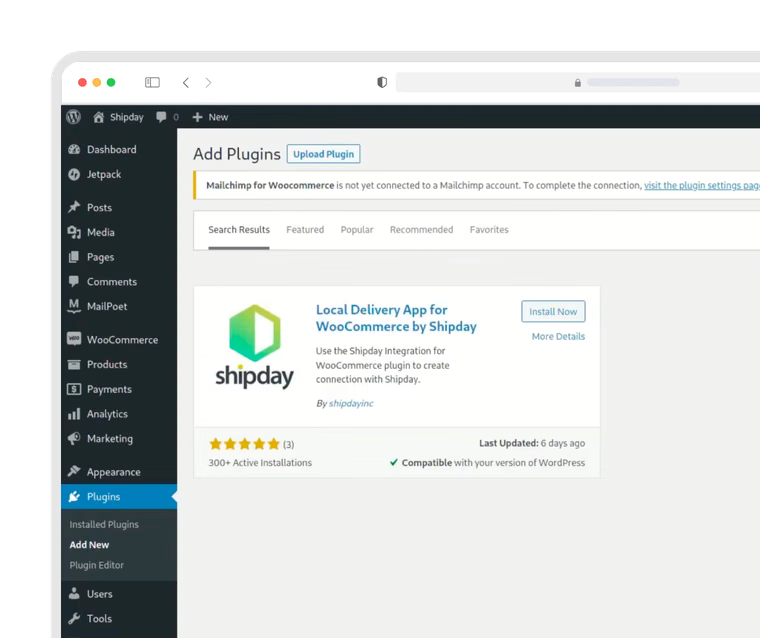
Step 3
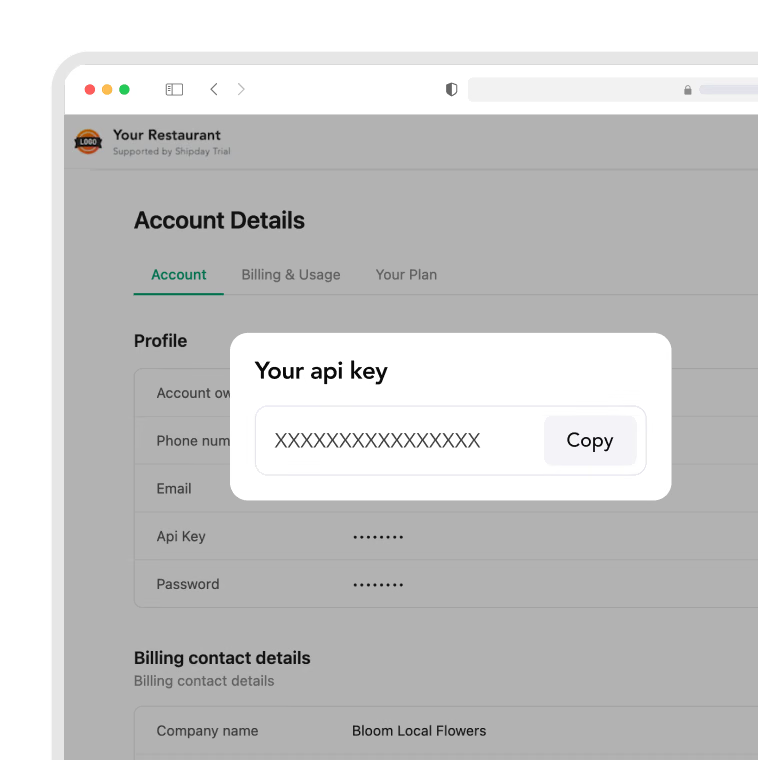
Copy your Shipday API key
In Shipday, go to My Account and copy your API key.
Step 4
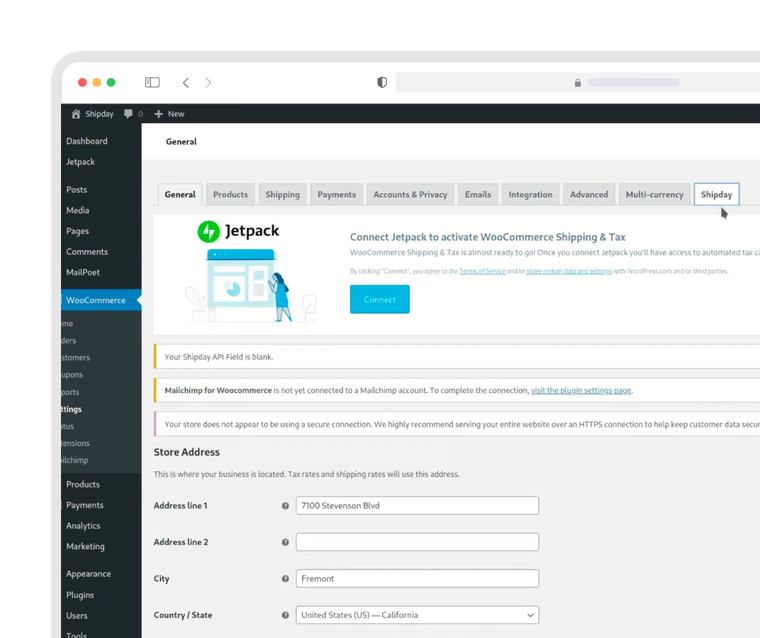
Open the Shipday tab in WooCommerce
In WordPress, go to WooCommerce, Settings, then open the Shipday tab.
Step 5
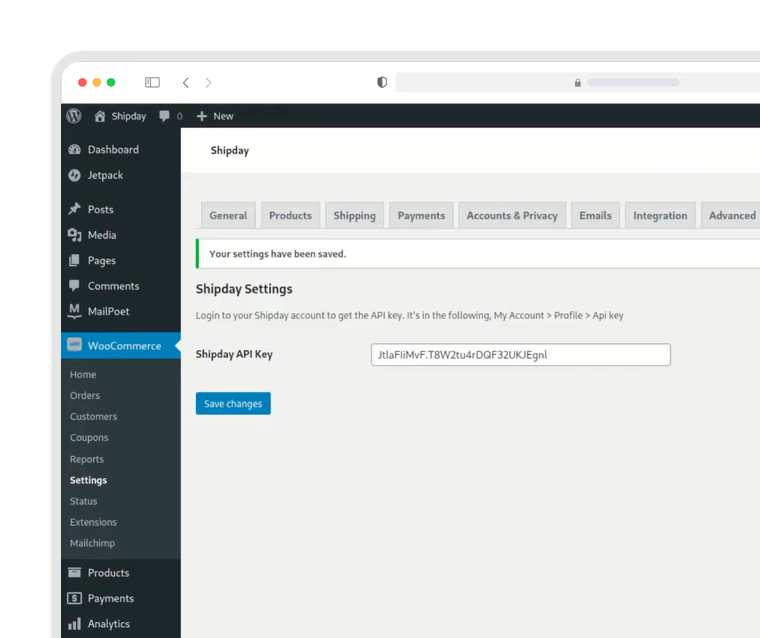
Paste your API key and pickup address
Paste your API key, then add your pickup address. Use a full street address with street number, city and country, exactly as Google Maps would recognize it. If Google Maps cannot read the address, your pickup location will not appear in Shipday. Save the form.
Step 6
Place a test order
Place a test delivery order on your WooCommerce store and confirm it appears in your Shipday dispatch dashboard.
Good to know
Running a multi-vendor marketplace?
Shipday supports Dokan and WCFM. Other multi-vendor plugins are not supported yet.
Want delivery date and time slots at checkout?
Open the Shipday tab in WooCommerce settings, pick the days you deliver and add your time windows. There is no extra charge. If you already use a date and time picker plugin, Shipday works alongside Delivery & Pickup Date Time for WooCommerce, Order Delivery Date for WooCommerce and WooCommerce Delivery Area Pro.
Still stuck? Email support@shipday.com with the subject line “WooCommerce integration help”.
FAQs
Does Shipday work with WooCommerce?
Yes. Shipday has a free official WooCommerce plugin, Shipday Local Delivery for WooCommerce, available in the WordPress plugin directory. Once installed and connected with your API key, every delivery and pickup order placed on your store flows automatically into your Shipday dispatch dashboard with no manual entry.
Is the Shipday WooCommerce plugin free?
The plugin is free to install and use. Shipday has a free Basic plan with no credit card required, plus paid plans starting at $29 per month with more features. The delivery date and time slot picker is included at no extra charge.
How long does it take to set up?
Most stores are connected in under five minutes. You install the plugin from the WordPress directory, copy your API key from Shipday, paste it into the Shipday tab in WooCommerce settings, add your pickup address, and place a test order to confirm the connection.
Can customers choose a delivery date and time at checkout?
Yes. The plugin adds a delivery date and time slot selector to the WooCommerce checkout page. You choose which days you deliver and define your own time windows through a calendar-style settings screen, with no code. The customer's selection is sent to Shipday with the order.
Does Shipday work with Dokan and WCFM multi-vendor stores?
Yes. Shipday supports both Dokan and WCFM marketplaces, so orders from every vendor push into a single dispatch dashboard. Other multi-vendor plugins are not supported at this time.
Can I use my own drivers?
Yes. You can run entirely on your own drivers, entirely on third-party fleets like DoorDash Drive and Uber, or a mix of both. Your drivers get jobs, optimized routes and proof-of-delivery capture through the Shipday mobile app.
Will my customers get delivery tracking?
Yes. Customers receive an SMS with a live tracking link showing the driver on a map and an up-to-date ETA. This is the single biggest reduction in “where is my order” calls that stores report after connecting Shipday.
Does Shipday conflict with my existing date and time picker plugin?
No. If you already use Delivery & Pickup Date Time for WooCommerce, Order Delivery Date for WooCommerce or WooCommerce Delivery Area Pro, you can keep your existing checkout experience and still get real-time dispatch and tracking through Shipday.
Does Shipday work outside the United States?
Yes. Shipday works anywhere with internet connectivity and is used by businesses in 150+ countries. Third-party fleet dispatch through DoorDash Drive and Uber is limited to supported regions, currently United States, Canada, Australia, and United Kingdom. Everywhere else, you run Shipday with your own drivers.
Ready to get started?
Play around with it first, add your team, pay later.