
UpMenu integration with Shipday
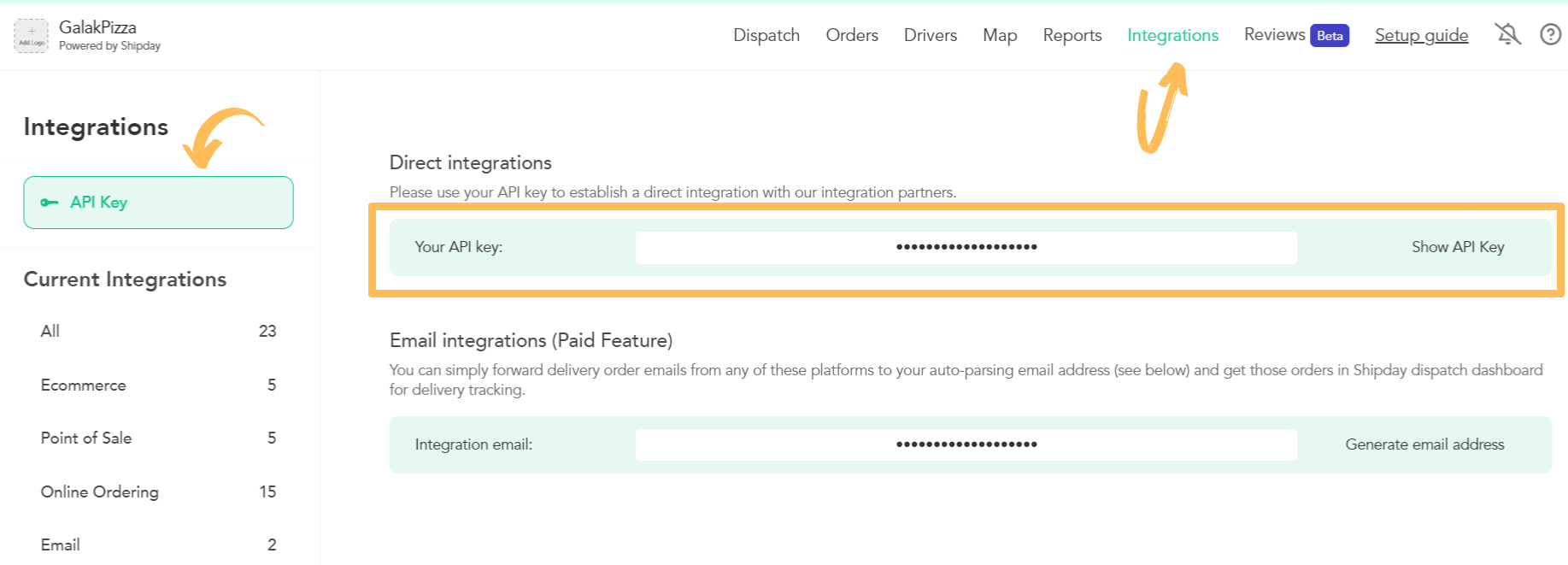
- In the Shipday panel, copy your API Key from the Integrations tab (then API Key tab).
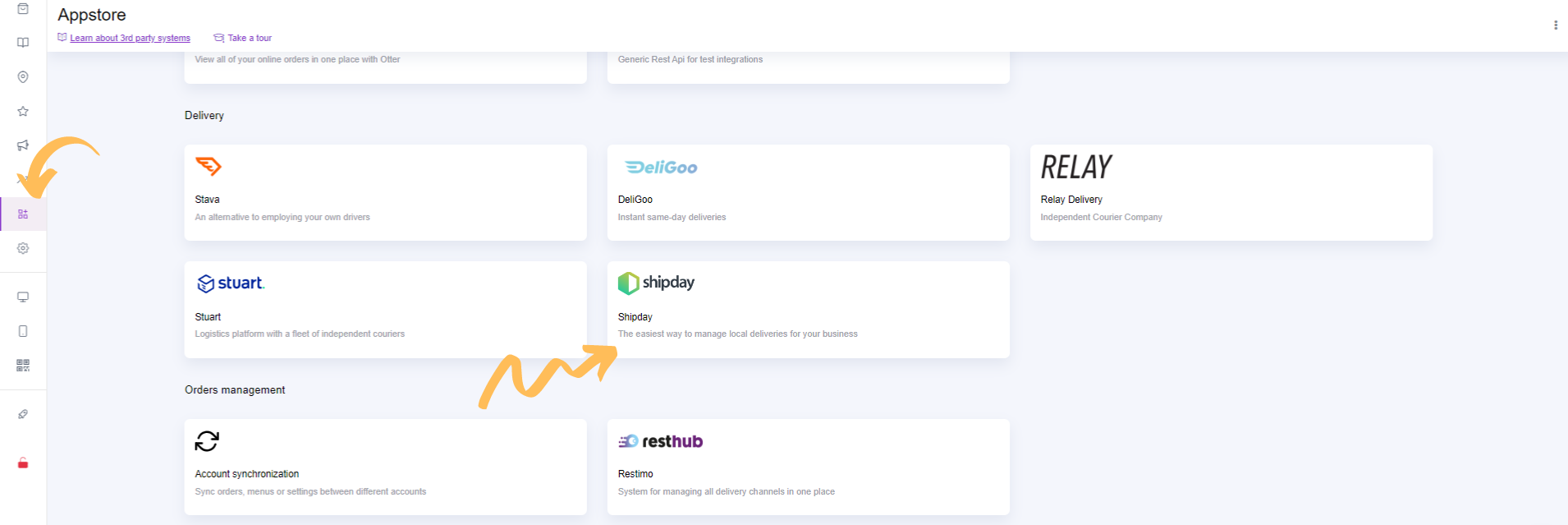
- Go to Appstore tab in UpMenu panel, then choose integration with Shipday.
- Paste your key in the API Key field.
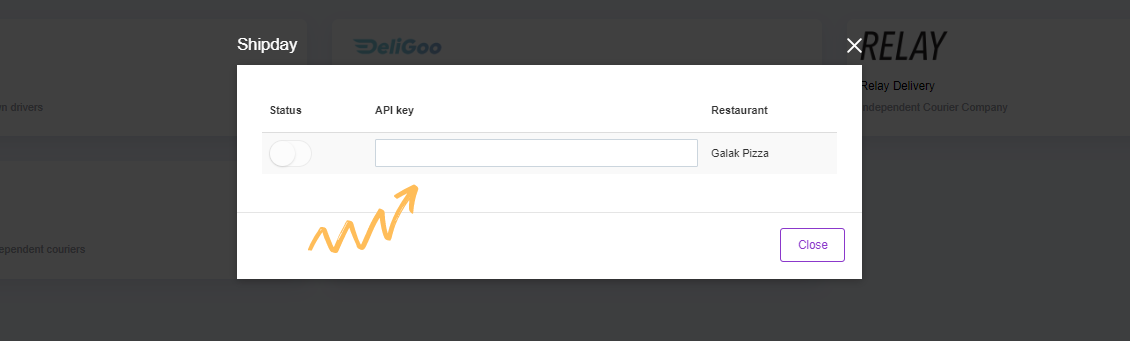
- Switch on Status. Integration is ready!
Tip: It is required that order must be in delivery, and the required form of payment is online or by cash so it can be send to Shipday from UpMenu.
Need help? Email support@shipday.com
Ready to get started?
Play around with it first, add your team, pay later.