
Menufy integration with Shipday
-
Open a Shipday dispatch account
-
Find your unique API key under Main Menu > My Account tab
-
Provide your dispatch password to see the API key
-
Now go to your Menufy Admin
Dashboard -
In the Left Panel of your Menufy dashboard Click
Notifications -
In the
Notificationspage underAdd Notification Methodwizard selectWebhook -
Fill up the Name and URL for the
Webhook -
Provide any suitable name and put the
WebhookURL (* for URL specifications, see below)
Webhook URL Endpoint:
Base URL: https://integration.shipday.com/g/wh?provider=menufy&key=
key – [YOUR Shipday API KEY]
See more details with screenshots here.
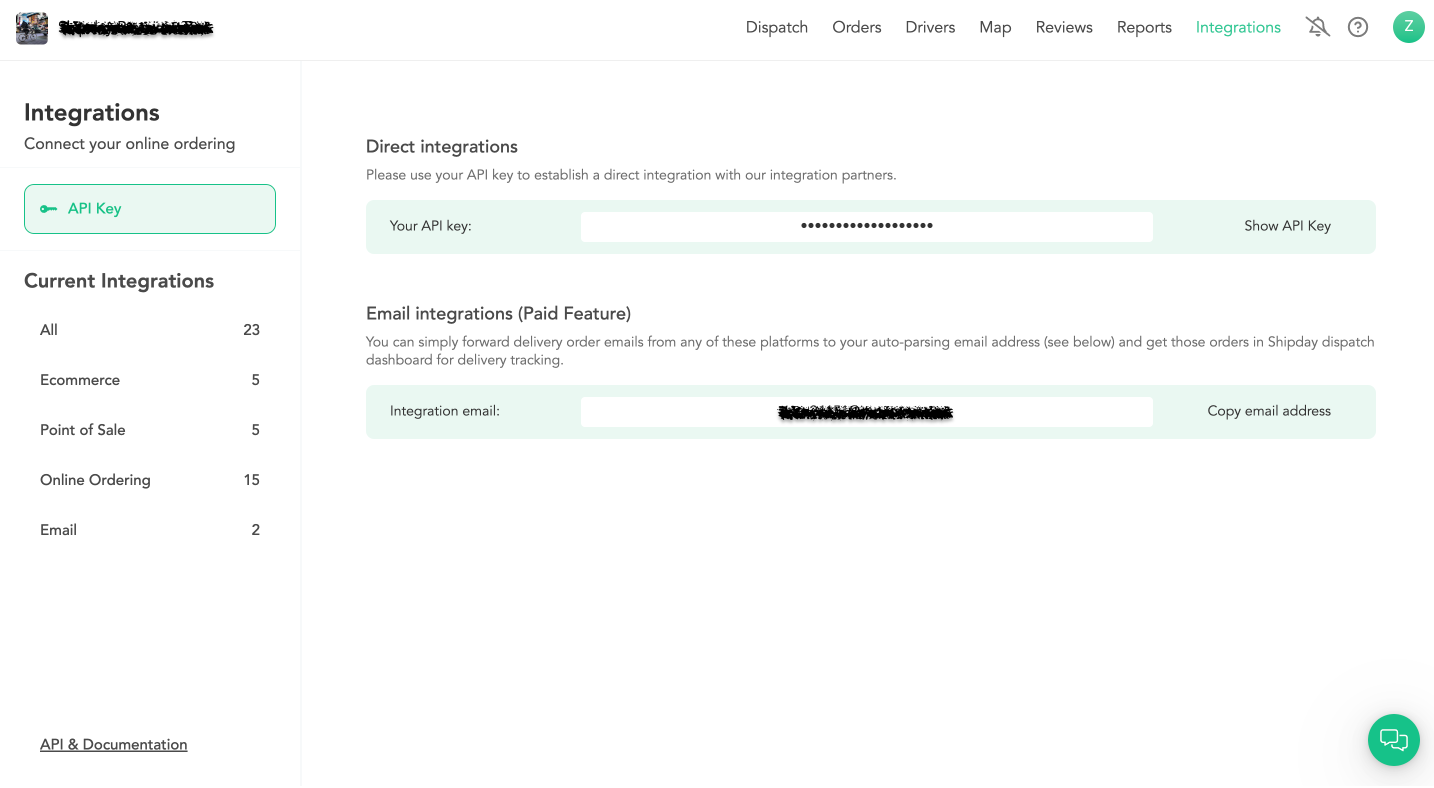
How to get Shipday API key
Integrations > API Credentials > Click on Show API Key > Click on Copy API Key:
Need help? Email support@shipday.com
Ready to get started?
Play around with it first, add your team, pay later.