
Menu2Order integration with Shipday
Menu2Order is proprietary software for a powerful online food ordering solution. It’s a highly scale-able, feature-rich & cost-effective solution for single or multi-location food businesses. It enables customers to order food directly from their website. Branded mobile applications allow loyal customers to place orders directly from their phones and get rewarded. An Android application with an option to connect with Bluetooth thermal printer helps fulfill orders directly from the kitchen. The business owner also has full dashboard access to review their sales, update the menu, and run rewards and coupons.
**Integration Steps:
**
1.Create your shipday account.
2.Get your API Key from Integration Tab.
3.Login to your Menu2order Dashboard as Admin.
4.Select Features from the left panel and go under ship day settings to enter the API.

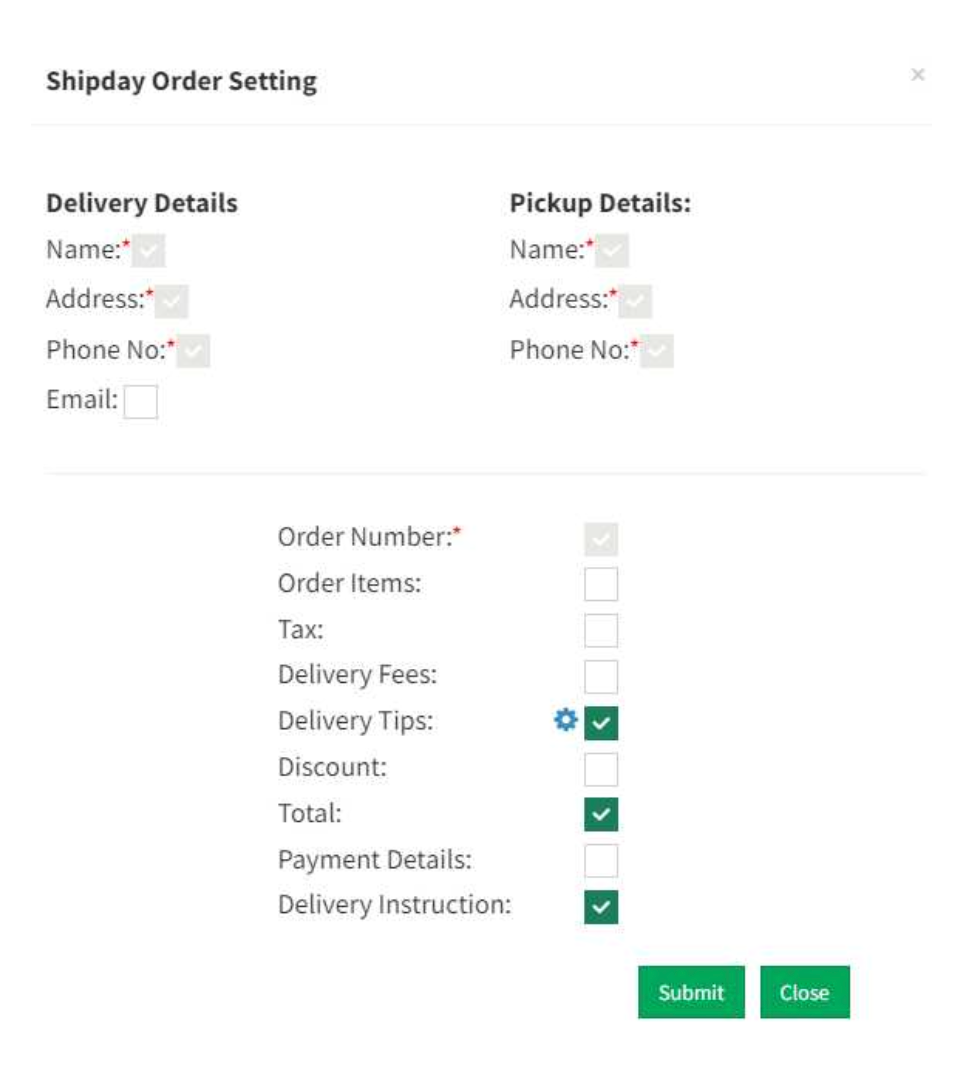
5.Click Advance setting to determine the order values for Shipday orders.
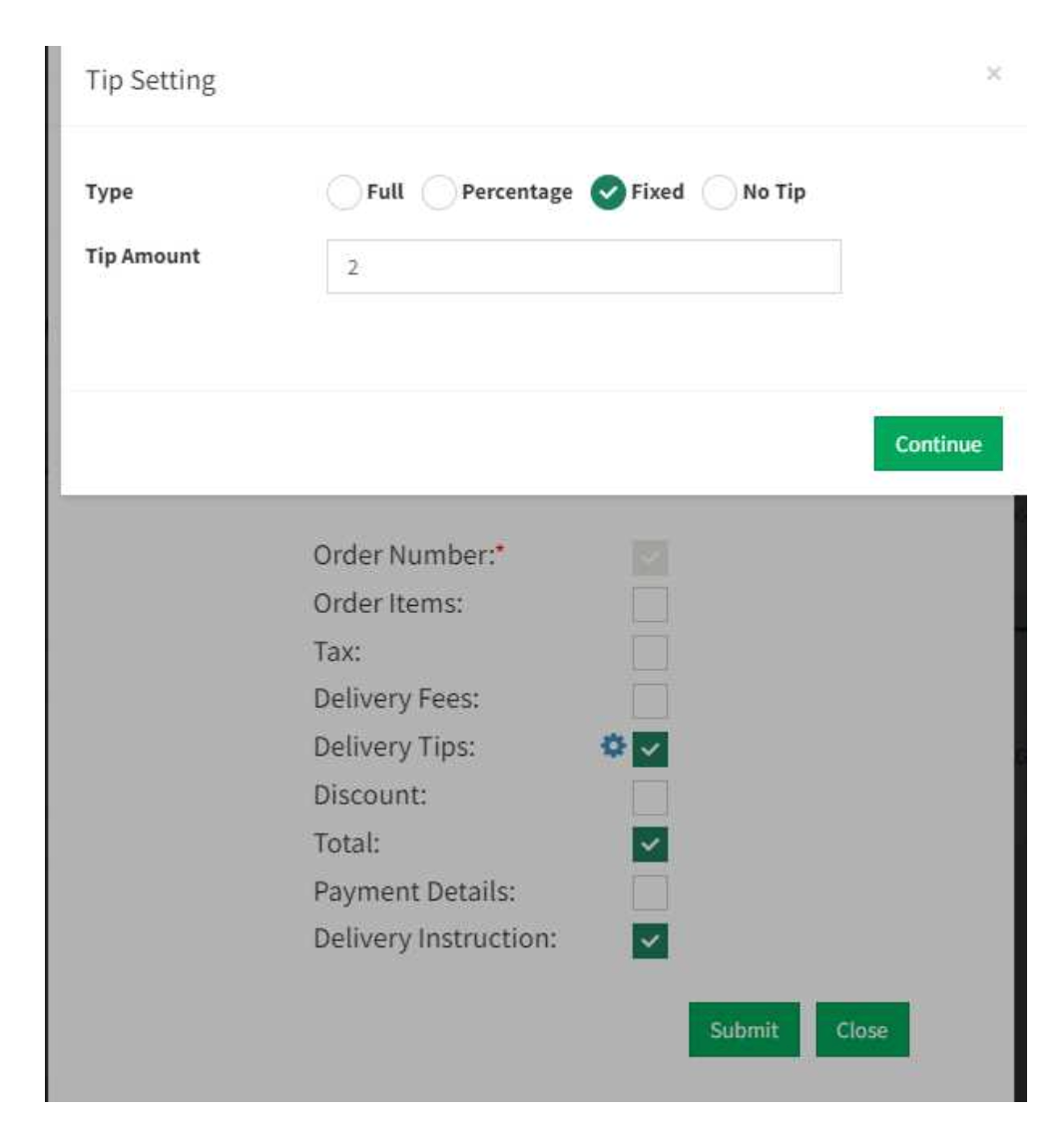
6.Click Tips settings to determine the tip values.
7.Once done submit the page to update the values.
Need help? Email support@shipday.com
Ready to get started?
Play around with it first, add your team, pay later.