
Lightspeed integration with Shipday
-
Log in to Shipday Dispatch.
-
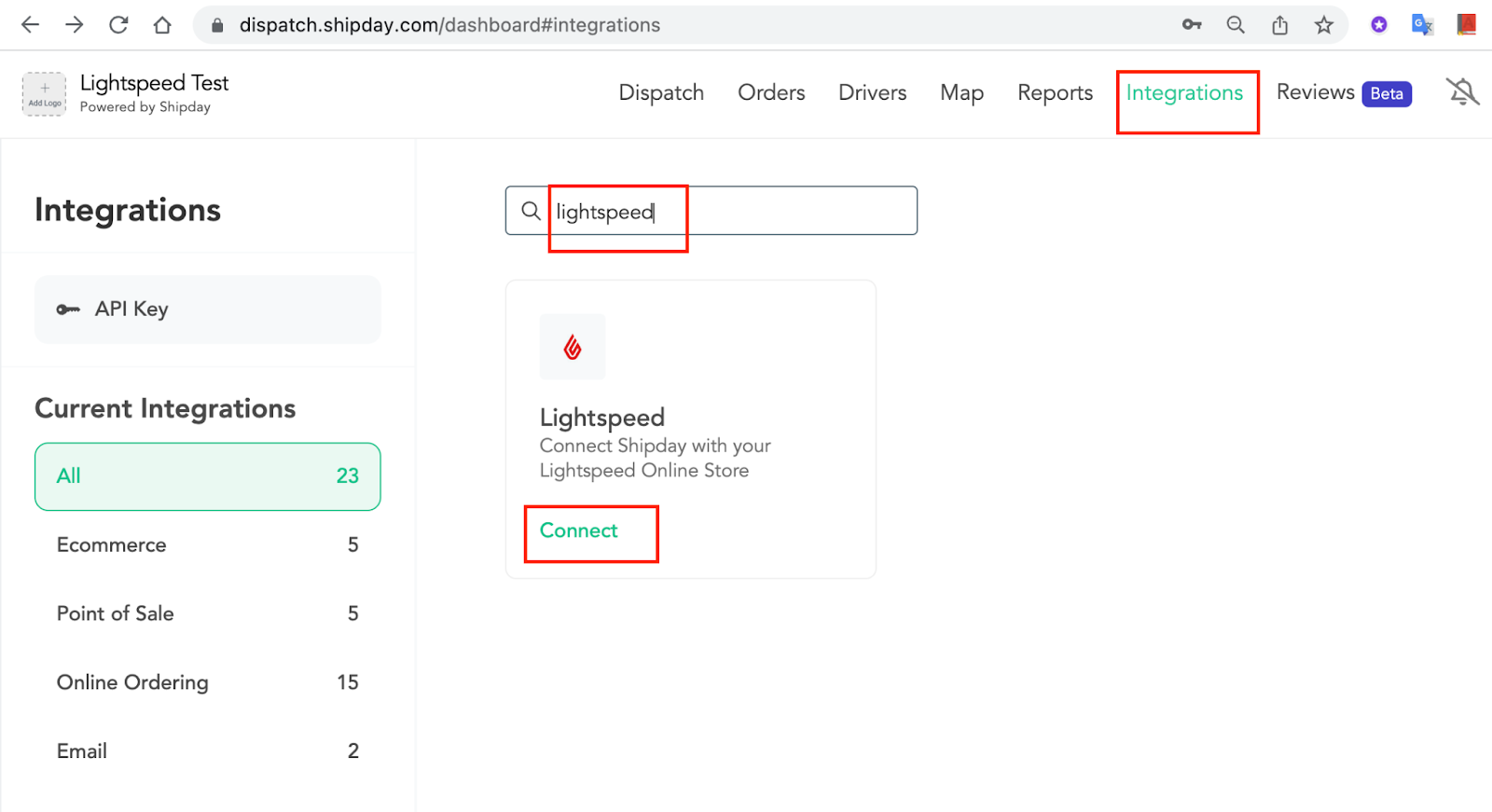
Go to Integrations in navbar, search for Lightspeed, Click
Connect
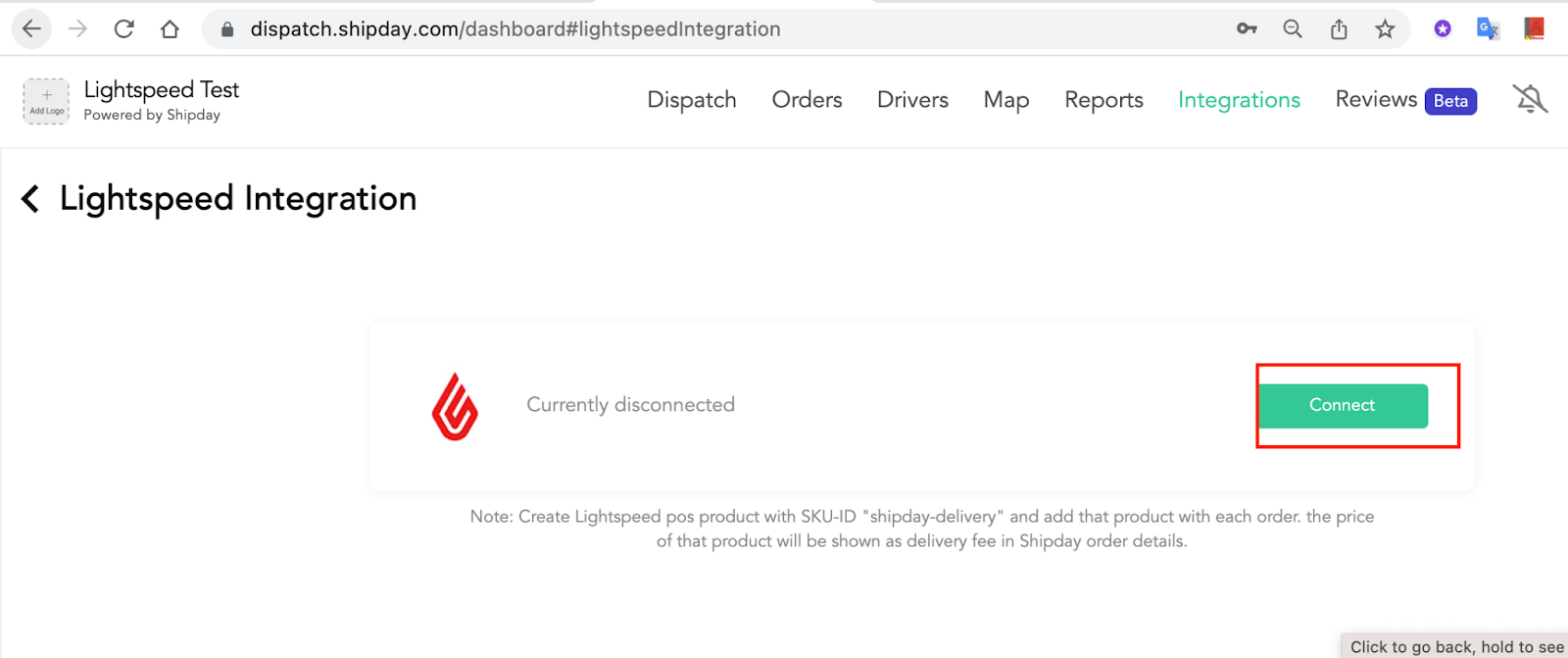
- In the new webpage, click 'Connect'
-
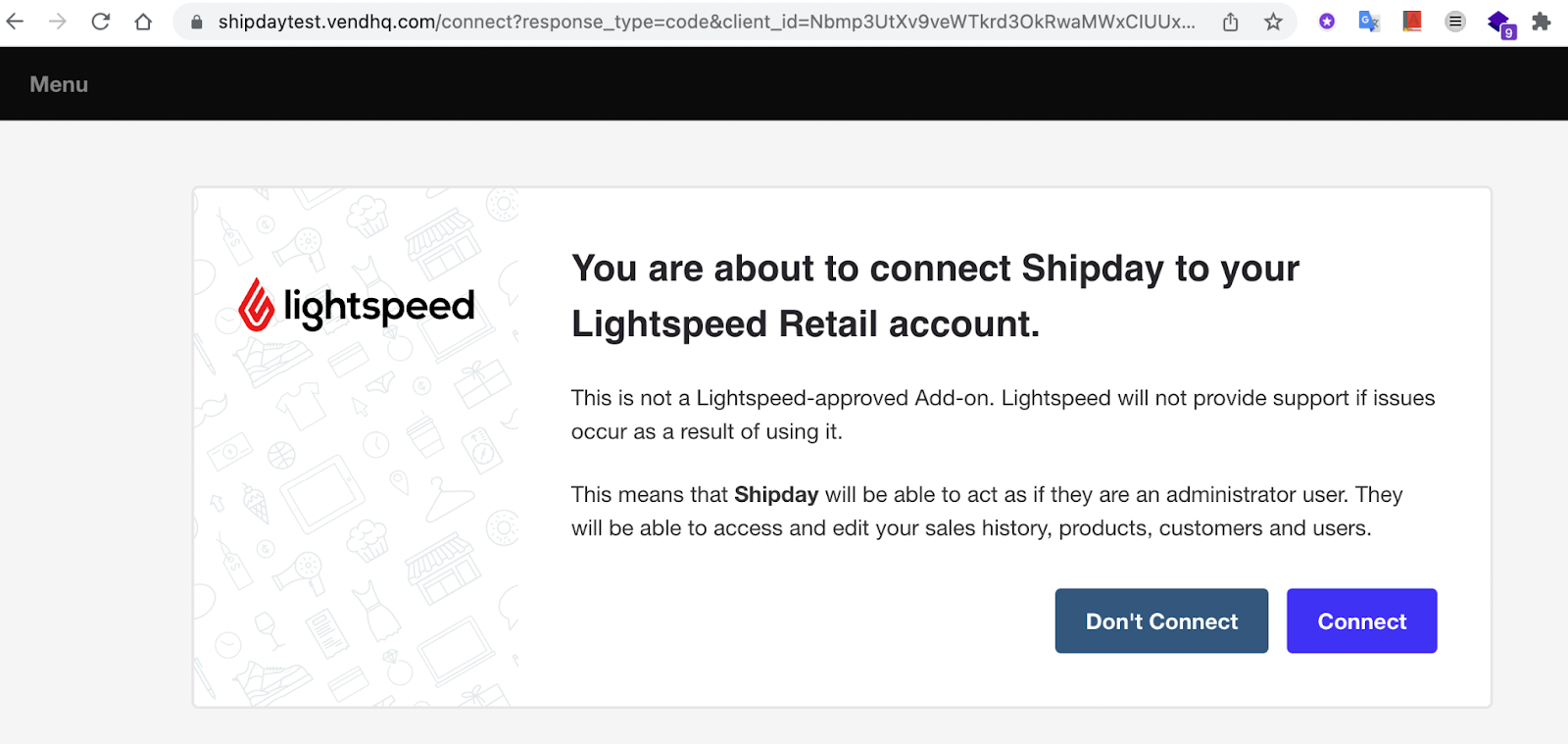
Then the client will be forwarded to Lightspeed website, please provide your Lightspeed credentials to login prompt, if it’s required.
-
Client 'Connect'
- The client will be then forwarded to Shipday, and the connected restaurant will be visible in the list
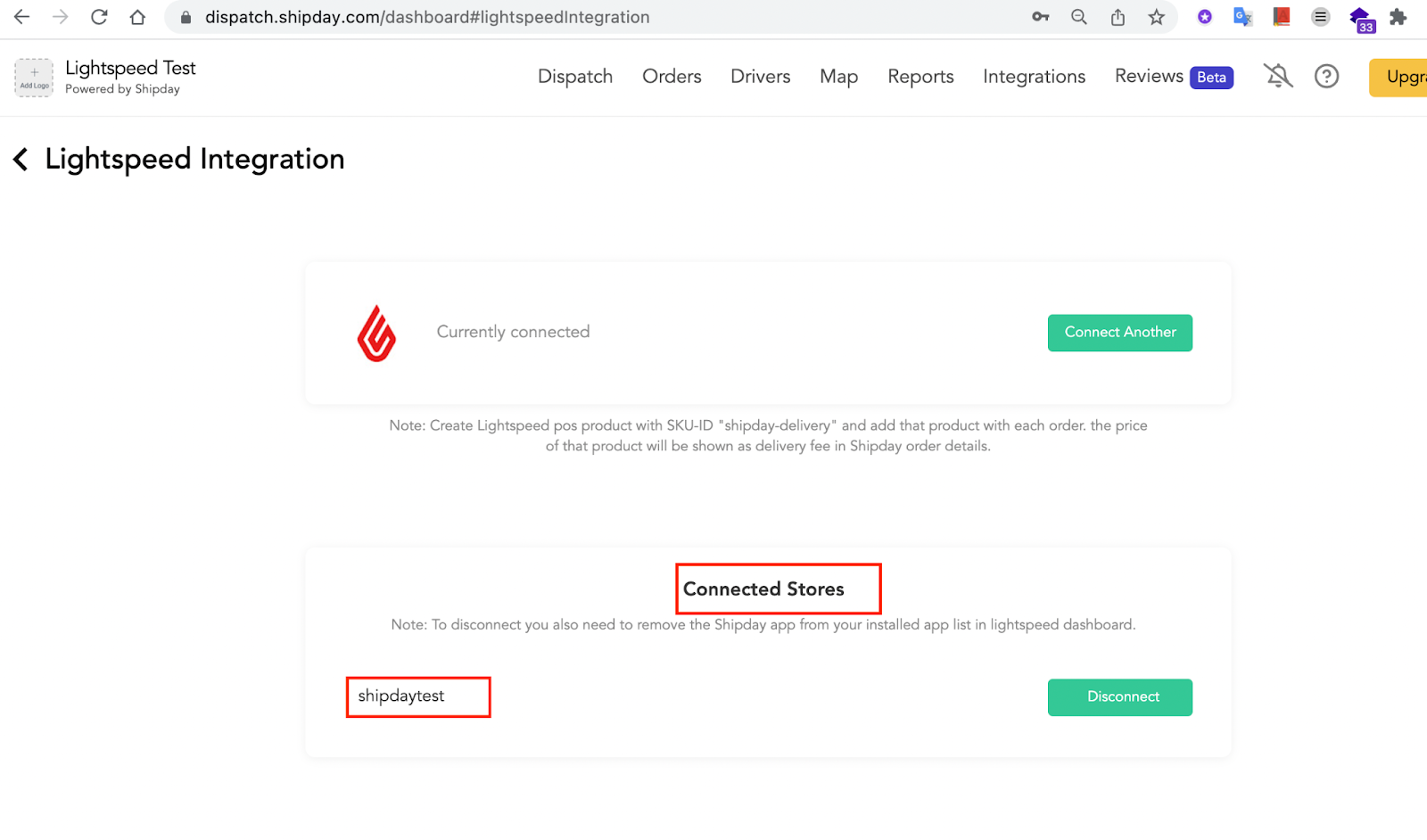
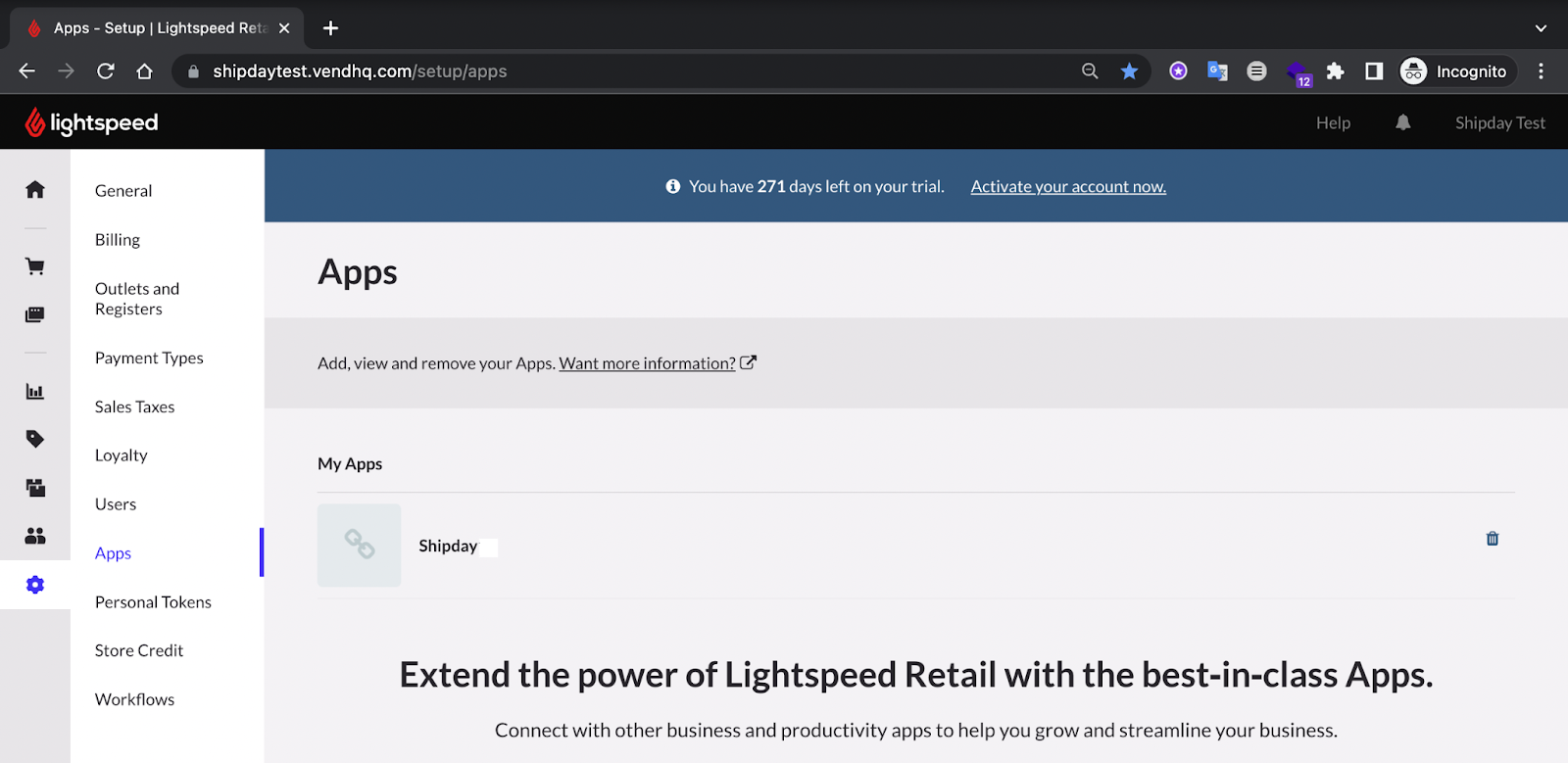
- Client can check the Shipday app installed in Lightspeed pos->setup->apps page
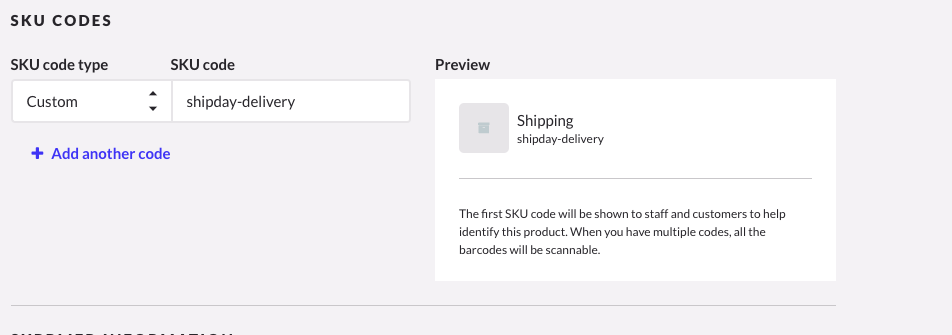
- Create an item with sku: shipday-delivery to be added to the orders as delivery fee
Need help? Email support@shipday.com
Ready to get started?
Play around with it first, add your team, pay later.