
GloriaFood integration with Shipday
-
First go to your GloriaFood Account. Look more more options on the left bar.
-
Click on more and you will find
delivery trackingas optional feature there. -
If you click on delivery tracking, you will find Shipday integration.
-
Click on
Enable Shipday, it will ask you to open an account with Shipday first. You can also do it from here -
You need to enter Restaurant token in GloriaFood Account to connect with your Shipday account.
-
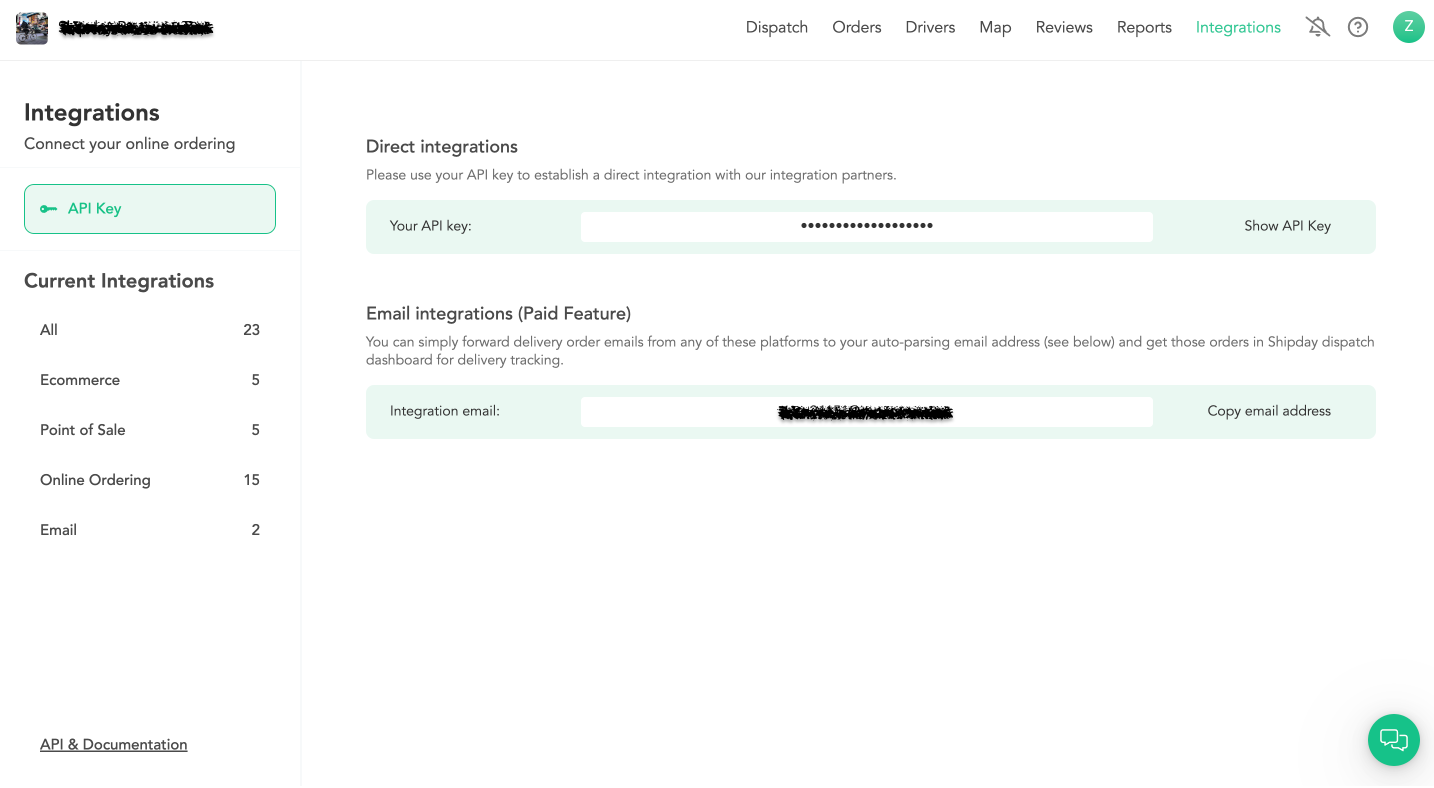
The Restaurant token is the API key in Shipday. You can find it under
My Accountsection in Shipday. -
After you copy the API key from Shipday and insert it into GloriaFood Account, you are connected.
-
Now every time a delivery order comes in, it will go to Shipday account for dispatching and delivery tracking.
How to get Shipday API key
Go to the integrations page from the top nav bar and click on the 'API Credentials' and then click on 'Show API Key' button:
Need help? Email support@shipday.com
Ready to get started?
Play around with it first, add your team, pay later.