
Epos Now integration with Shipday
App Installation steps:
-
Click here to access the beta Shipday app for EposNow
-
Click the get free app button
-
Select the location you want to install the app into
-
The click the Get free app button
Shipday Mapping steps:
- Go to backoffice -> Setup -> Company Details -> GUID
This how we would collect the guid
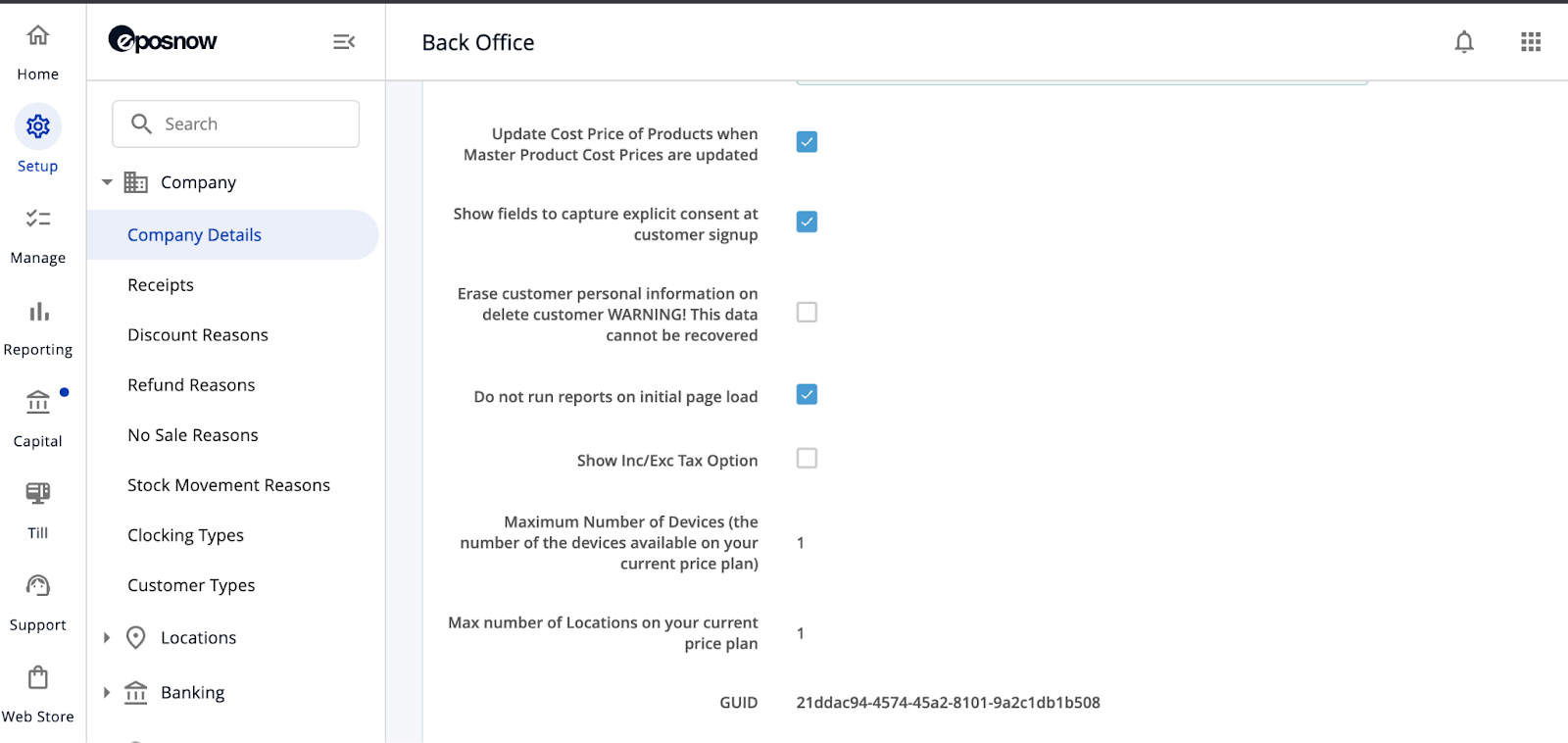
- Provide the guid to us to do the mapping. Use the following cURL to complete the Eponow Store mapping into Shipday.
curl --location 'https://api.shipday.com/eposnow/onboard' \
--header 'Content-Type: application/json' \
--header 'Authorization: Bearer JWT Token' \
--data '{
    "companyGuid": "bb883e90-61bd-4dd9-981e-594f3aabe320"
}'
Need help? Email support@shipday.com
Ready to get started?
Play around with it first, add your team, pay later.