
eHungry integration with Shipday
-
Open a Shipday dispatch account
-
Find your unique API key under Main Menu > My Account tab
-
Provide your dispatch password to see the API key
-
Now go to your e-hungry Admin
Dashboard -
Click
Restaurant Manager -
Click
Restaurant Locations -
Click
change thislink besideCurrently Receives Orders by: -
Select
Order Notificationstab -
Scroll down a bit and find
I want webhooks with order detailsoption underWhen a new order is placed:section and select the radio button -
After selecting the radio button, a section with some input boxes will appear
-
Put your integration url into a
Webhook URL:input box - for url see below -
Click
Save main notification detailsbutton
Webhook URL Endpoint:
Base URL: https://integration.shipday.com/g/wh?provider=ehungry&key=YOUR Shipday API KEY
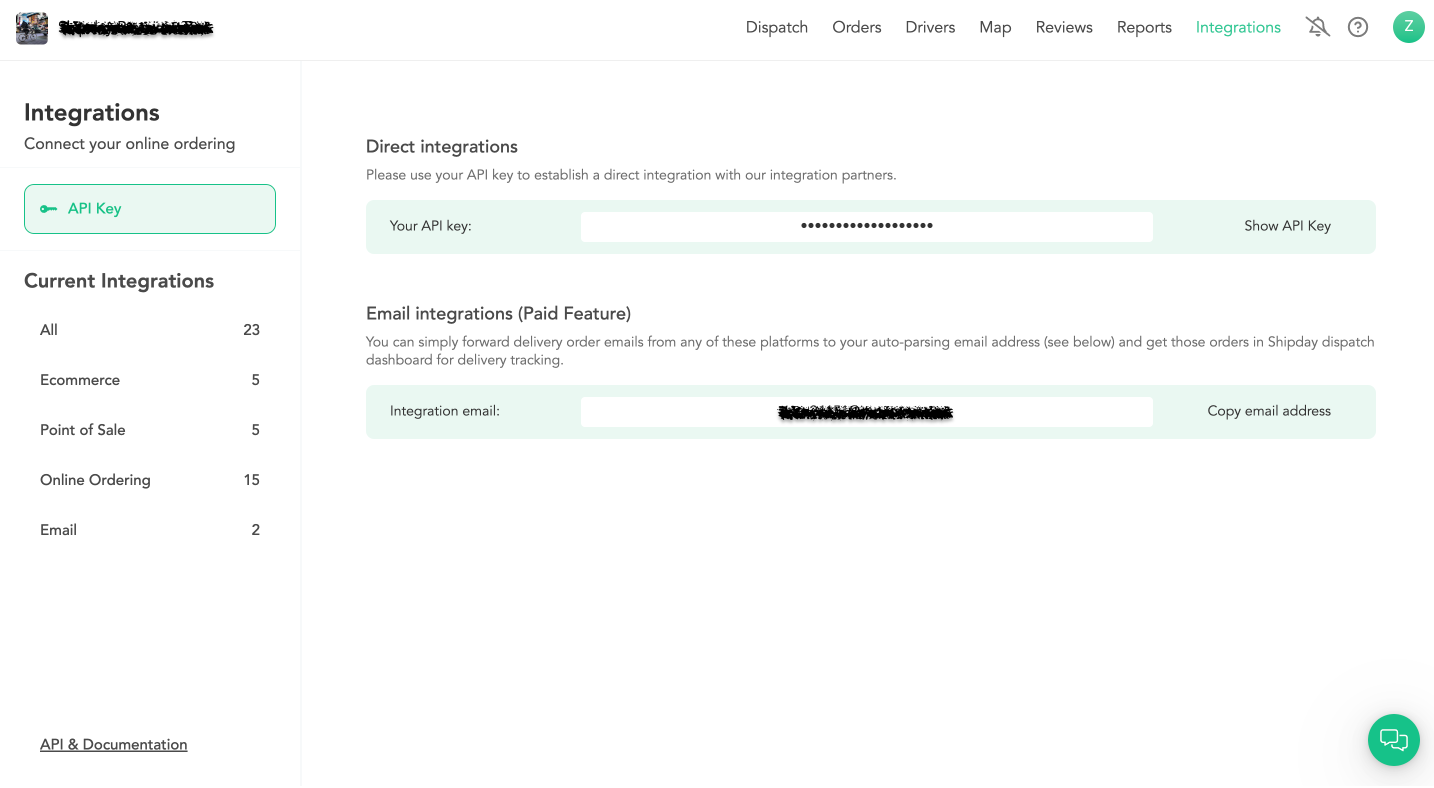
How to get Shipday API key
Integrations > API Credentials > Click on Show API Key > Click on Copy API Key:
Need help? Email support@shipday.com
Ready to get started?
Play around with it first, add your team, pay later.