
Cloudwaitress integration with Shipday
-
First go to your Cloud Waitress Account Dashboard.
-
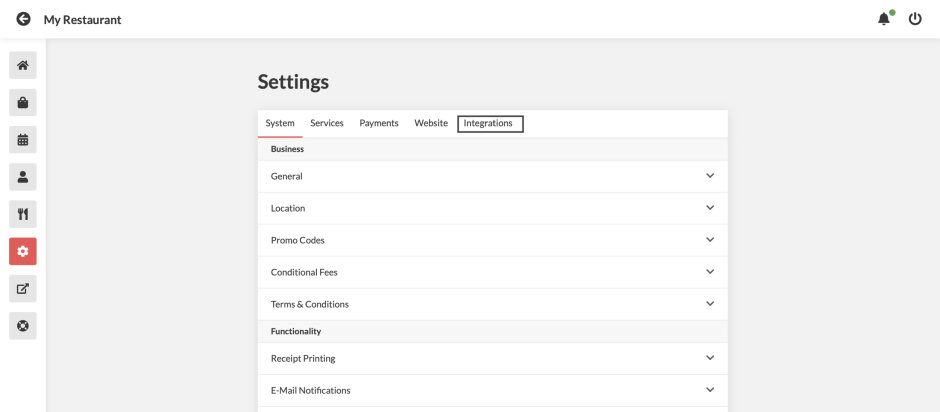
Click on the settings (gear wheel) from left menu bar, and then click on integrations
-
you will find Shipday integration. Click on it.
-
You need to enter Shipday API Key in the integration box to enable it.
-
You need have a shipday account to get the API key. If you don’t have a shipday account yet, You can also do it from here
-
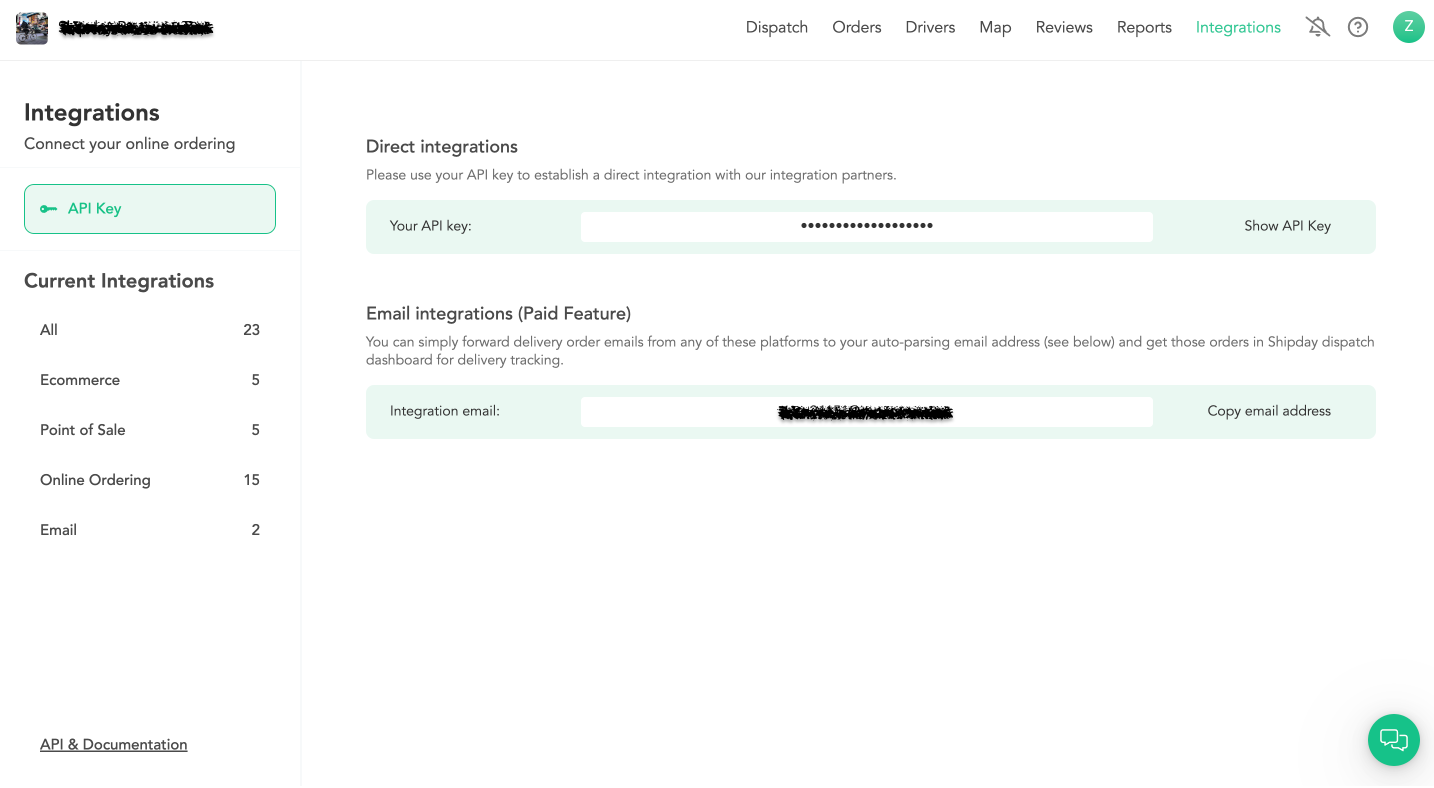
You can find the Shipday API key under
My Accountsection from the main menu. -
After you copy the API key from Shipday and insert it into Cloud Waitress Account, you are connected.
-
Now every time a delivery order comes in, it will go to Shipday account for dispatching and delivery tracking.
How to get Shipday API key
Integrations > API Credentials > Click on Show API Key > Click on Copy API Key:
Need help? Email support@shipday.com
Ready to get started?
Play around with it first, add your team, pay later.